TypeScript + React Server Components: Typed Props Without Client-Side Bloat
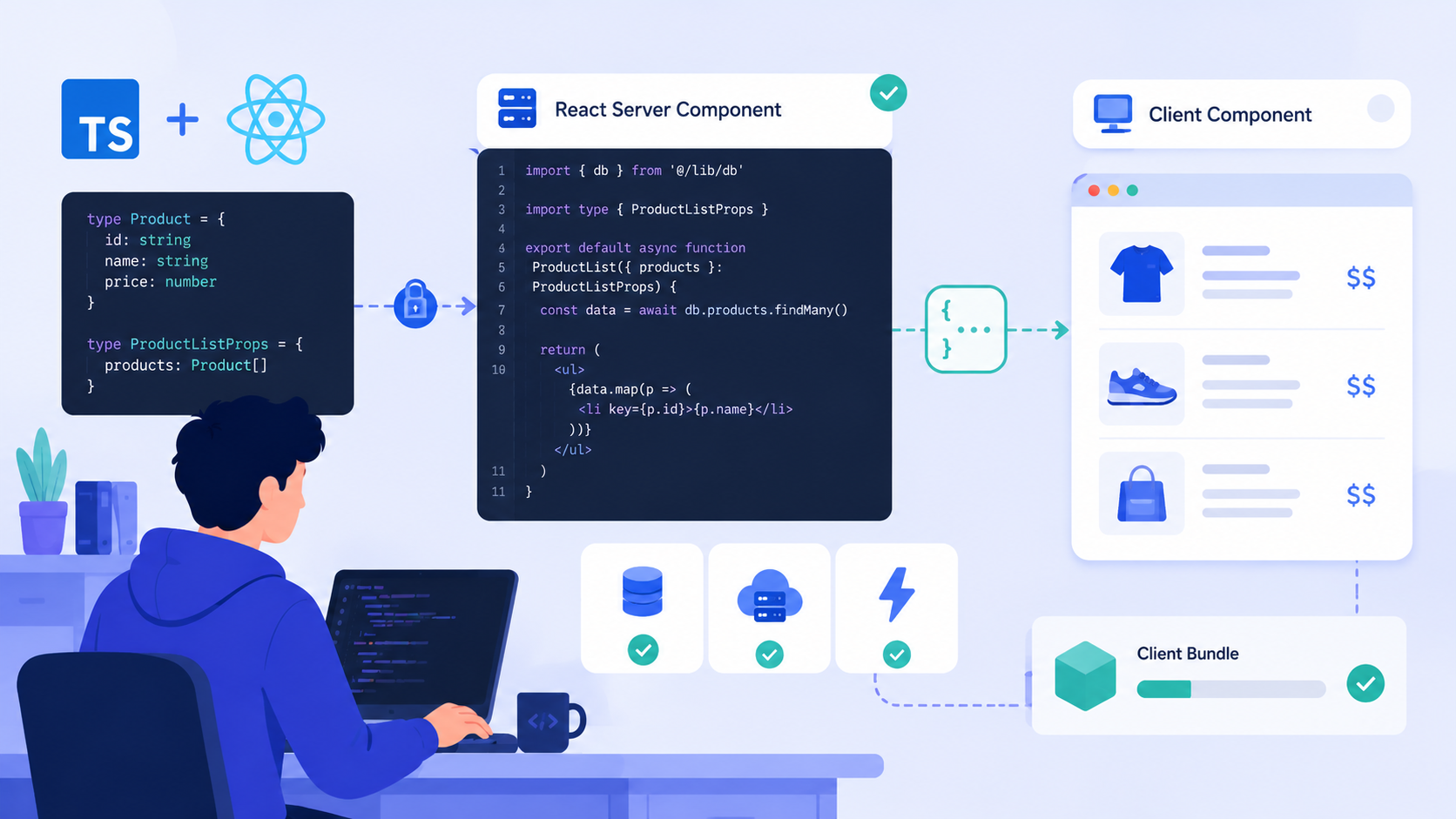
Learn how to derive strict, runtime-validated prop types for React Server Components using Zod—while keeping client components lightweight, type-safe, and free from Zod bundle overhead.
BODY:
Why Prop Typing Gets Tricky with Server Components
React Server Components (RSCs) blur the line between backend and frontend logic—but they don’t blur the bundle boundary. When you define props for an RSC, those types live on the server. Yet your client components still need to consume them safely—often via use client boundaries or data passed through props.children, Suspense, or context.
The classic pitfall? Duplicating validation logic: one Zod schema on the server for runtime safety, and a hand-written TypeScript interface on the client for type hints. That leads to drift, silent mismatches, and unnecessary Zod imports in client bundles—even though Zod’s runtime is never used there.
What if you could generate client-safe, zero-runtime TypeScript types directly from your Zod schema—and keep Zod itself strictly server-only?
Let’s build that.
Step 1: Define Your Schema on the Server (No Client Leak)
Start with a clean Zod schema in a server-only module—e.g., app/schemas/product.ts. Because this file lives under app/ and isn’t imported by any use client component, Next.js won’t include it in the client bundle.
// app/schemas/product.ts
import { z } from 'zod';

export const ProductSchema = z.object({
  id: z.string().uuid(),
  name: z.string().min(1).max(100),
  price: z.number().positive().multipleOf(0.01),
  inStock: z.boolean(),
  tags: z.array(z.string().min(1)).max(5).default([]),
  metadata: z.record(z.unknown()).optional(),
});

export type Product = z.infer<typeof ProductSchema>;
✅ This schema validates at runtime on the server (e.g., in generateStaticParams, fetch, or RSC props).
❌ It’s never imported into a client component—so no Zod bytes ship to the browser.
Step 2: Derive Lightweight Client Types (Zero Runtime)
Now create a separate, client-safe type definition—without Zod—that mirrors the schema exactly. Use Zod’s infer type, but export it from a dedicated .types.ts file that only contains types:
// app/types/product.types.ts
import { Product } from '@/schemas/product';

// ✅ Pure type-only export — no Zod runtime, no side effects
export type ProductProps = {
  product: Product;
  onAddToCart?: () => void;
};
Note: Product here is just a TypeScript type (z.infer<...>), not a value. As long as @/schemas/product doesn’t get imported into client code, this is safe.
But what about validation on the server before passing props to the RSC? Let’s wire that up.
Step 3: Validate RSC Props at the Boundary
Server Components accept props like any other function—but unlike client components, they run only on the server. So we can validate before rendering, without touching the client.
Here’s a pattern: wrap your RSC in a server-side validator function:
// app/components/ProductPage.server.tsx
'use server';

import { ProductSchema } from '@/schemas/product';
import { ProductPage } from '@/components/ProductPage';

// ✅ Validates *before* rendering — throws early on malformed data
export async function renderProductPage(
  rawProps: unknown,
): Promise<JSX.Element> {
  const parsed = ProductSchema.safeParse(rawProps);
  if (!parsed.success) {
    console.error('Invalid ProductPage props:', parsed.error.issues);
    throw new Error('Invalid product data');
  }
  return <ProductPage product={parsed.data} />;
}
Then use it inside your route:
// app/products/[id]/page.tsx
import { renderProductPage } from '@/components/ProductPage.server';
import { getProductById } from '@/lib/products';

export default async function ProductRoute({
  params,
}: {
  params: { id: string };
}) {
  const product = await getProductById(params.id);
  // ✅ Pass raw data → validated at boundary
  return renderProductPage(product);
}
No Zod in the client. No manual type duplication. Just one source of truth.
Step 4: Keep Client Components Strictly Typed & Lean
Now define your actual RSC—but note: it’s not a client component. It receives already-validated props, so its type signature stays minimal and pure:
// app/components/ProductPage.tsx
// ❗ No 'use client' — this is a Server Component

import { Product } from '@/schemas/product';
import { ProductCardClient } from '@/components/ProductCardClient';

interface ProductPageProps {
  product: Product;
}

export default function ProductPage({ product }: ProductPageProps) {
  return (
    <article className="max-w-2xl mx-auto p-6">
      <h1 className="text-3xl font-bold">{product.name}</h1>
      <p className="text-lg text-green-600">${product.price.toFixed(2)}</p>
      <ProductCardClient product={product} />
    </article>
  );
}
Notice ProductCardClient is explicitly marked use client. Its props must be serializable—but thanks to our Zod-derived Product type, we know it is.
Step 5: Type the Client Component Without Zod
In the client component, import only the type, never the schema:
// app/components/ProductCardClient.tsx
'use client';

import { useState } from 'react';
import { Product } from '@/schemas/product';

interface ProductCardClientProps {
  product: Product; // ✅ Type-only — no Zod runtime
}

export function ProductCardClient({ product }: ProductCardClientProps) {
  const [isAdding, setIsAdding] = useState(false);

  const handleAdd = async () => {
    setIsAdding(true);
    try {
      // Simulate API call — product is guaranteed valid
      await fetch('/api/cart', {
        method: 'POST',
        headers: { 'Content-Type': 'application/json' },
        body: JSON.stringify({ productId: product.id }),
      });
    } finally {
      setIsAdding(false);
    }
  };

  return (
    <div className="mt-6 p-4 border rounded-lg">
      <h2 className="font-medium">Details</h2>
      <p>Stock: {product.inStock ? 'In stock' : 'Out of stock'}</p>
      <button
        onClick={handleAdd}
        disabled={isAdding || !product.inStock}
        className="mt-2 px-4 py-2 bg-blue-500 text-white rounded disabled:opacity-50"
      >
        {isAdding ? 'Adding...' : 'Add to Cart'}
      </button>
    </div>
  );
}
✅ Product is used only as a type — no Zod evaluation happens here.
✅ The component stays under 2KB gzipped — no Zod parser, no schema objects.
✅ TypeScript still enforces all field access (product.tags.map, product.metadata?.foo) — because Product is a full structural type.
Bonus: Auto-Generate Types for Complex Schemas
For large apps, manually exporting z.infer types gets repetitive. You can automate it with a simple script (run in CI or dev):
// scripts/generate-types.ts
import { writeFileSync } from 'fs';
import { ProductSchema } from '@/schemas/product';

const typeString = `// Auto-generated — do not edit
import { z } from 'zod';
export type Product = z.infer<typeof ProductSchema>;
`;

writeFileSync('app/types/generated.d.ts', typeString);
Then reference app/types/generated.d.ts in your tsconfig.json’s typeRoots. Now all your inferred types are versioned, auditable, and decoupled from runtime imports.
What This Solves (and What It Doesn’t)
This pattern eliminates four common pain points:
- Bundle bloat: Zod stays server-only — client bundles contain only lean TypeScript interfaces.
- Type drift: One schema → one type → no manual sync.
- Runtime safety: Props are validated before RSC execution — no “trust but verify”.
- Developer ergonomics: Autocomplete works everywhere — IDEs resolve
Productfields instantly.
It does not replace end-to-end validation (e.g., API routes should still validate incoming requests), nor does it eliminate the need for serialization checks (e.g., Date objects won’t survive the RSC boundary — stick to plain objects, strings, numbers, booleans, and arrays).
Final Checklist
Before shipping:
- ✅ All Zod schemas live in
app/orlib/— never undercomponents/withuse client. - ✅ Client components import types only from
.types.tsorz.inferexports — never from schema files directly. - ✅ RSC props are validated at the server entry point (route handler or wrapper), not inside the component.
- ✅ Run
next build && grep -r "z\.object\|z\.string" .next/server/— you should see no matches. (Zod code must not appear in.next/server/— that’s the client bundle.)
You now have typed, validated, lightweight React Server Components — with TypeScript doing the heavy lifting and Zod staying where it belongs: on the server.
Go ship faster, safer, and leaner.