The useState Setter Queue Trap: Why Functional Updates Aren’t Always Enough in React
Learn how React’s batching and setter queuing can cause stale state reads—even with functional updates—and why useReducer or custom coordination hooks are safer for async state logic.
The Illusion of Safety
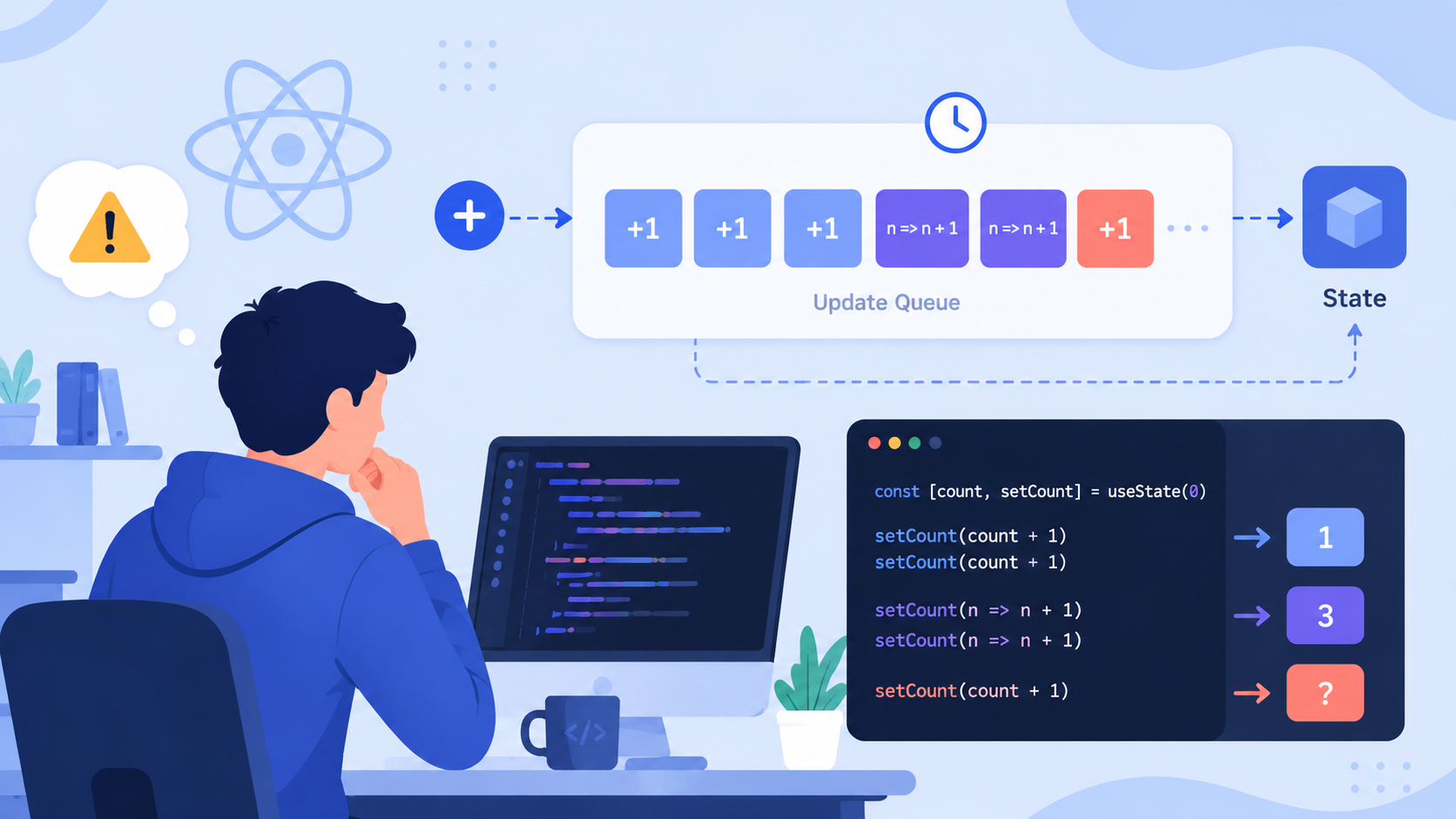
You’ve read the docs. You know about functional updates. You write setCount(prev => prev + 1) religiously—confident you’re immune to stale closures. So when your counter jumps from 0 → 2 → 3 instead of 0 → 1 → 2 during rapid clicks, you’re baffled. When a form submission overwrites pending validation feedback, you blame the API. But the real culprit may be hiding in plain sight: React’s setter queue behavior under batching.
This isn’t a bug—it’s an intentional optimization. But it creates a subtle trap: functional updates guarantee order within a single render cycle, but not across asynchronous boundaries. Let’s expose it.
The Classic Race (That Looks Innocent)
Consider this login flow:
function LoginForm() {
  const [status, setStatus] = useState<'idle' | 'loading' | 'success' | 'error'>('idle');
  const [message, setMessage] = useState<string>('');

  const handleSubmit = async (e: React.FormEvent) => {
    e.preventDefault();
    setStatus('loading');
    setMessage('');

    try {
      await api.login(); // Simulates network delay
      setStatus('success');
      setMessage('Login successful!');
    } catch (err) {
      setStatus('error');
      setMessage('Invalid credentials.');
    }
  };

  return (
    <form onSubmit={handleSubmit}>
      {/* ... */}
      <button type="submit" disabled={status === 'loading'}>
        {status === 'loading' ? 'Logging in...' : 'Login'}
      </button>
      {message && <p>{message}</p>}
    </form>
  );
}
At first glance, this is textbook React. But here’s what actually happens on two rapid submissions:
- Click 1 →
setStatus('loading'),setMessage('')queued - Click 2 →
setStatus('loading'),setMessage('')queued (before Click 1’sawaitresolves) - Click 1 resolves →
setStatus('success'),setMessage(...)queued - Click 2 resolves →
setStatus('success'),setMessage(...)queued
Because React batches state updates within the same microtask, and because both await resolutions happen in separate microtasks, the setters from Click 2 overwrite Click 1’s success state—even though Click 1 finished first.
The result? You see “Login successful!” flash, then vanish—replaced by the second submission’s identical message. Worse: if the second call fails, you get an error after seeing success.
Why Functional Updates Don’t Save You Here
Functional updates fix stale prev reads inside one setter call. But they don’t solve interleaved async operations:
// This still races — each `setStatus` is independent
setStatus(prev => 'loading'); // From click 1
setStatus(prev => 'loading'); // From click 2 — overwrites click 1's intent!
// Later:
setStatus(prev => 'success'); // From click 1
setStatus(prev => 'error');   // From click 2 — wins, even if click 1 resolved first
The queue doesn’t respect logical causality—it respects call order. And async resolution order ≠ call order.
The useReducer Escape Hatch
useReducer doesn’t eliminate the problem—but it makes coordination explicit. By modeling state transitions as discrete, timestamped actions, you gain control over which update should apply.
Here’s a safer version using useReducer:
type FormState = {
  status: 'idle' | 'loading' | 'success' | 'error';
  message: string;
  // Track request ID to ignore stale responses
  latestRequestId: number;
};

type FormAction =
  | { type: 'START'; requestId: number }
  | { type: 'SUCCESS'; requestId: number; message: string }
  | { type: 'ERROR'; requestId: number; message: string };

function formReducer(state: FormState, action: FormAction): FormState {
  switch (action.type) {
    case 'START':
      return {
        ...state,
        status: 'loading',
        message: '',
        latestRequestId: action.requestId,
      };
    case 'SUCCESS':
      return state.latestRequestId === action.requestId
        ? { ...state, status: 'success', message: action.message }
        : state;
    case 'ERROR':
      return state.latestRequestId === action.requestId
        ? { ...state, status: 'error', message: action.message }
        : state;
    default:
      return state;
  }
}

function LoginForm() {
  const [state, dispatch] = useReducer(formReducer, {
    status: 'idle',
    message: '',
    latestRequestId: 0,
  });

  let requestId = 0;

  const handleSubmit = async (e: React.FormEvent) => {
    e.preventDefault();
    const currentId = ++requestId;
    dispatch({ type: 'START', requestId: currentId });

    try {
      await api.login();
      dispatch({ type: 'SUCCESS', requestId: currentId, message: 'Login successful!' });
    } catch (err) {
      dispatch({ type: 'ERROR', requestId: currentId, message: 'Invalid credentials.' });
    }
  };

  return (
    <form onSubmit={handleSubmit}>
      <button type="submit" disabled={state.status === 'loading'}>
        {state.status === 'loading' ? 'Logging in...' : 'Login'}
      </button>
      {state.message && <p>{state.message}</p>}
    </form>
  );
}
Notice the requestId guard: only the most recent request’s success/error updates the UI. Stale responses are silently ignored.
A Custom Hook for Reusability
Repeating requestId logic everywhere gets tedious. Let’s extract it:
function useAsyncState<T>() {
  const [state, setState] = useState<{ value: T | null; requestId: number }>({
    value: null,
    requestId: 0,
  });

  let currentId = 0;

  const setAsync = (value: T, callback?: (v: T) => void) => {
    const id = ++currentId;
    setState(prev => {
      if (id > prev.requestId) {
        const next = { value, requestId: id };
        callback?.(value);
        return next;
      }
      return prev;
    });
  };

  const getLatest = () => state.value;
  const isLatest = (id: number) => id === state.requestId;

  return { state: state.value, setAsync, getLatest, isLatest, requestId: currentId };
}

// Usage in LoginForm:
function LoginForm() {
  const { state: status, setAsync: setStatus, isLatest, requestId } = useAsyncState<
    'idle' | 'loading' | 'success' | 'error'
  >();
  const { state: message, setAsync: setMessage } = useAsyncState<string>();

  const handleSubmit = async (e: React.FormEvent) => {
    e.preventDefault();
    setStatus('loading');
    setMessage('');

    try {
      await api.login();
      if (isLatest(requestId)) {
        setStatus('success');
        setMessage('Login successful!');
      }
    } catch (err) {
      if (isLatest(requestId)) {
        setStatus('error');
        setMessage('Invalid credentials.');
      }
    }
  };

  // ... rest unchanged
}
This hook encapsulates the coordination logic while preserving useState ergonomics.
When Should You Reach for useReducer?
Not every async operation needs useReducer. Ask yourself:
-
✅ Use
useReducerwhen:- State has multiple interdependent fields (
status,data,error,isLoading) - You need to handle cancellation, retries, or optimistic updates
- Business logic requires strict ordering guarantees (e.g., “only the last fetch matters”)
- State has multiple interdependent fields (
-
✅ Use a custom hook when:
- You want lightweight, composable async coordination
- You’re managing isolated state slices (e.g., one field per hook)
- You prefer
useState-style APIs but need anti-race guards
-
❌ Avoid
useStatealone when:- Async callbacks depend on current state values (e.g., “if status is ‘loading’, don’t start another”)
- You’re updating multiple related states in one async flow
- You’re building reusable components consumed by others (they’ll inherit your race bugs)
The Bigger Picture: Designing for Concurrency
React’s batching is a feature—not a flaw. But it forces us to confront a truth: UIs are concurrent systems. Treating state like a simple variable invites race conditions. Instead:
- Model state changes as intentions, not assignments
- Use identifiers (like
requestId) to establish causal order - Prefer discarding stale work over synchronizing it (it’s cheaper and less error-prone)
- Audit async callbacks: do they read state before or after the promise resolves? If before, you’re vulnerable
Final Thoughts
Functional updates protect against closure staleness within a render. They don’t protect against interleaved async flows across renders. That gap is where useReducer and purpose-built hooks shine—not because they’re “more advanced,” but because they force explicit modeling of time, causality, and intent.
Next time you reach for useState in an async handler, pause. Ask: What happens if this resolves after another identical call? If the answer isn’t “nothing bad,” reach for coordination—not just a functional updater.
Your users won’t thank you for faster renders. They’ll thank you for never seeing “Success!” replaced by “Error” two seconds later.