
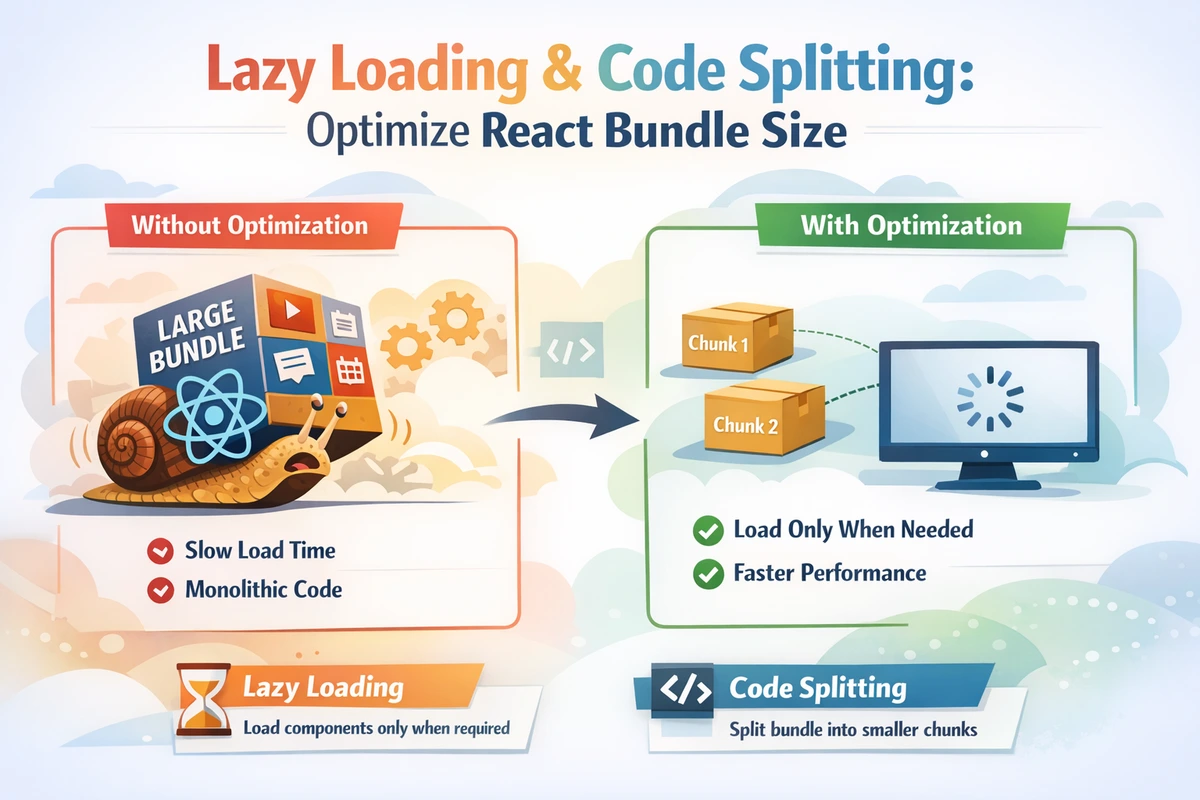
Lazy Loading & Code Splitting: Optimize React Bundle Size
Modern React applications bundle all code together before users download anything. This works fine for small apps, but as features grow, users download kilobytes of JavaScript they never use. Lazy loading defers code download until needed, reducing initial bundle size dramatically. Combined with strategic code splitting, it's one of the highest-impact performance optimizations you can implement.
Table of Contents
- The Bundle Size Problem
- Understanding Code Splitting
- React.lazy and Suspense
- Route-Based Code Splitting
- Dynamic Imports
- Lazy Loading Images
- Advanced Patterns
- Measuring Bundle Size
- Common Pitfalls
- FAQ
The Bundle Size Problem
Why Bundle Size Matters
Consider a typical React application with multiple pages and features:
Initial Bundle (before optimization):
├── Dashboard (30KB) - Shown immediately
├── Orders (50KB) - Only for logged-in users
├── Admin Panel (40KB) - Only for admins
├── Analytics (35KB) - Rarely visited
├── Settings (25KB) - Occasionally visited
└── Libraries (100KB) - date-fns, lodash, etc.
Total: 280KB JavaScript

User Experience:
- New visitor waits 280KB download for a 30KB page
- Mobile user on 3G: 10+ seconds of blocked content
- Most code never executes for this user session
With lazy loading:
Initial Bundle (after optimization):
├── Dashboard (30KB)
├── Libraries (100KB - shared)
Total: 130KB (54% reduction)

Additional bundles loaded on demand:
├── Orders (50KB) - Downloaded when user navigates
├── Admin Panel (40KB) - Downloaded when needed
├── Analytics (35KB) - Downloaded when feature used
└── Settings (25KB) - Downloaded on demandResult: Users download less initial code, experience faster page load times, and content appears sooner.
Understanding Code Splitting
What Is Code Splitting?
Code splitting breaks your JavaScript bundle into smaller chunks that load on demand. Instead of one 280KB bundle, you have a 130KB main bundle plus smaller feature bundles.
Where to Split
Smart split points:
- Route-based: Different pages (90% of cases)
- Feature-based: Modals, menus, sidebars
- Conditional features: Admin panels, beta features
- Heavy libraries: Date pickers, charts, editors
Don't split:
- Components rendered immediately
- Utility functions under 5KB
- Frequently visited pages
React.lazy and Suspense
Basic React.lazy Usage
React.lazy loads components dynamically when first rendered:
TypeScript Version
import { lazy, Suspense, useState } from 'react';

// Lazy load the component - not downloaded until needed
const DateCalculator = lazy(() => import('./DateCalculator'));

export function App() {
  const [showCalculator, setShowCalculator] = useState(false);

  return (
    <div>
      <button onClick={() => setShowCalculator(true)}>
        Open Calculator
      </button>

      {/* Wrap lazy components in Suspense */}
      <Suspense fallback={<p>Loading calculator...</p>}>
        {showCalculator && <DateCalculator />}
      </Suspense>
    </div>
  );
}
JavaScript Version
import { lazy, Suspense, useState } from 'react';

const DateCalculator = lazy(() => import('./DateCalculator'));

export function App() {
  const [showCalculator, setShowCalculator] = useState(false);

  return (
    <div>
      <button onClick={() => setShowCalculator(true)}>
        Open Calculator
      </button>

      <Suspense fallback={<p>Loading calculator...</p>}>
        {showCalculator && <DateCalculator />}
      </Suspense>
    </div>
  );
}Key Points
- lazy() accepts a function that returns a dynamic import
- Suspense wraps lazy components and shows fallback while loading
- Only the component code is split, not shared dependencies
- No runtime overhead—splits happen at build time
Suspense Fallback Patterns
TypeScript Version
// Simple loading text
<Suspense fallback={<p>Loading...</p>}>
  {showComponent && <HeavyComponent />}
</Suspense>

// Custom loading component
function LoadingSpinner() {
  return (
    <div className="spinner">
      <div className="spin" />
      <p>Loading feature...</p>
    </div>
  );
}

<Suspense fallback={<LoadingSpinner />}>
  {showModal && <ModalContent />}
</Suspense>

// Skeleton placeholder
function ProductSkeleton() {
  return (
    <div className="product-card">
      <div className="skeleton-image" />
      <div className="skeleton-title" />
      <div className="skeleton-price" />
    </div>
  );
}

<Suspense fallback={<ProductSkeleton />}>
  {showProduct && <ProductDetail />}
</Suspense>
JavaScript Version
<Suspense fallback={<p>Loading...</p>}>
  {showComponent && <HeavyComponent />}
</Suspense>

function LoadingSpinner() {
  return (
    <div className="spinner">
      <div className="spin" />
      <p>Loading feature...</p>
    </div>
  );
}

<Suspense fallback={<LoadingSpinner />}>
  {showModal && <ModalContent />}
</Suspense>Route-Based Code Splitting
Why Routes Are Perfect for Code Splitting
Users often navigate to specific routes and skip others entirely. Splitting by route is the highest-impact optimization because:
- Routes rarely load immediately
- Each route can have large dependencies
- Users don't visit all routes in one session
Using React Router with lazy()
TypeScript Version
import { lazy, Suspense } from 'react';
import { createBrowserRouter, RouterProvider, Outlet } from 'react-router-dom';

// Static import (always needed)
import Dashboard from './pages/Dashboard';

// Lazy import (load when route becomes active)
const Orders = lazy(() => import('./pages/Orders'));
const AdminPanel = lazy(() => import('./pages/AdminPanel'));
const Analytics = lazy(() => import('./pages/Analytics'));
const Settings = lazy(() => import('./pages/Settings'));

const router = createBrowserRouter([
  {
    path: '/',
    element: (
      <Layout>
        <Suspense fallback={<PageLoader />}>
          <Outlet />
        </Suspense>
      </Layout>
    ),
    children: [
      { index: true, element: <Dashboard /> },
      { path: 'orders', element: <Orders /> },
      { path: 'admin', element: <AdminPanel /> },
      { path: 'analytics', element: <Analytics /> },
      { path: 'settings', element: <Settings /> },
    ],
  },
]);

function App() {
  return <RouterProvider router={router} />;
}

function PageLoader() {
  return (
    <div className="flex items-center justify-center min-h-screen">
      <div className="animate-spin rounded-full h-12 w-12 border-4 border-blue-500 border-t-transparent" />
    </div>
  );
}
JavaScript Version
import { lazy, Suspense } from 'react';
import { createBrowserRouter, RouterProvider, Outlet } from 'react-router-dom';

import Dashboard from './pages/Dashboard';

const Orders = lazy(() => import('./pages/Orders'));
const AdminPanel = lazy(() => import('./pages/AdminPanel'));
const Analytics = lazy(() => import('./pages/Analytics'));
const Settings = lazy(() => import('./pages/Settings'));

const router = createBrowserRouter([
  {
    path: '/',
    element: (
      <Layout>
        <Suspense fallback={<PageLoader />}>
          <Outlet />
        </Suspense>
      </Layout>
    ),
    children: [
      { index: true, element: <Dashboard /> },
      { path: 'orders', element: <Orders /> },
      { path: 'admin', element: <AdminPanel /> },
      { path: 'analytics', element: <Analytics /> },
      { path: 'settings', element: <Settings /> },
    ],
  },
]);

function App() {
  return <RouterProvider router={router} />;
}

function PageLoader() {
  return (
    <div className="flex items-center justify-center min-h-screen">
      <div className="animate-spin rounded-full h-12 w-12 border-4 border-blue-500 border-t-transparent" />
    </div>
  );
}Result: Dashboard loads immediately (130KB), other pages load only when navigated to. Users on a 3G connection see content in 2 seconds instead of 12+ seconds.
Dynamic Imports
Understanding Dynamic Import Syntax
Dynamic imports use JavaScript's native import() function, which returns a Promise:
TypeScript Version
// Static import - bundled with main code
import { heavyUtility } from './utils';

// Dynamic import - loaded separately
const heavyUtility = await import('./utils');

// In React.lazy
const Modal = lazy(() => import('./Modal'));

// Custom loading logic
async function loadAnalytics() {
  try {
    const { AnalyticsComponent } = await import('./Analytics');
    return AnalyticsComponent;
  } catch (error) {
    console.error('Failed to load analytics:', error);
    return null;
  }
}
JavaScript Version
// Static import
import { heavyUtility } from './utils';

// Dynamic import
const heavyUtility = await import('./utils');

// In React.lazy
const Modal = lazy(() => import('./Modal'));

// Custom loading logic
async function loadAnalytics() {
  try {
    const { AnalyticsComponent } = await import('./Analytics');
    return AnalyticsComponent;
  } catch (error) {
    console.error('Failed to load analytics:', error);
    return null;
  }
}Dynamic Feature Loading
Load features based on user role or conditions:
async function loadUserFeatures(userRole: 'admin' | 'user') {
  const features: Record<string, any> = {};

  if (userRole === 'admin') {
    features.AdminDashboard = await import('./features/AdminDashboard');
    features.UserManagement = await import('./features/UserManagement');
  }

  if (userRole === 'user') {
    features.Profile = await import('./features/Profile');
    features.Settings = await import('./features/Settings');
  }

  return features;
}Lazy Loading Images
Native lazy Attribute
Modern browsers support native image lazy loading:
<!-- Load immediately -->
<img src="hero.jpg" alt="Hero" />

<!-- Load when within viewport -->
<img src="feature.jpg" alt="Feature" loading="lazy" />

<!-- Load only on click -->
<img src="detailed.jpg" alt="Details" loading="lazy" />Intersection Observer API
For advanced control, use Intersection Observer:
TypeScript Version
import { useEffect, useRef } from 'react';

interface LazyImageProps {
  src: string;
  alt: string;
  placeholder?: string;
}

export function LazyImage({ src, alt, placeholder }: LazyImageProps) {
  const imgRef = useRef<HTMLImageElement>(null);
  const [isLoaded, setIsLoaded] = useRef(false);

  useEffect(() => {
    const observer = new IntersectionObserver(
      ([entry]) => {
        if (entry.isIntersecting && !isLoaded.current) {
          const img = entry.target as HTMLImageElement;
          img.src = src;
          img.onload = () => setIsLoaded(true);
          observer.unobserve(img);
        }
      },
      { rootMargin: '50px' } // Start loading 50px before entering viewport
    );

    if (imgRef.current) {
      observer.observe(imgRef.current);
    }

    return () => observer.disconnect();
  }, [src]);

  return (
    <img
      ref={imgRef}
      src={placeholder || 'data:image/svg+xml,%3Csvg xmlns="http://www.w3.org/2000/svg"%3E%3C/svg%3E'}
      alt={alt}
      className="transition-opacity duration-300"
    />
  );
}

// Usage
<LazyImage
  src="/images/large-photo.jpg"
  alt="Product photo"
  placeholder="/images/placeholder.jpg"
/>
JavaScript Version
import { useEffect, useRef } from 'react';

export function LazyImage({ src, alt, placeholder }) {
  const imgRef = useRef(null);
  const isLoaded = useRef(false);

  useEffect(() => {
    const observer = new IntersectionObserver(
      ([entry]) => {
        if (entry.isIntersecting && !isLoaded.current) {
          const img = entry.target;
          img.src = src;
          img.onload = () => {
            isLoaded.current = true;
          };
          observer.unobserve(img);
        }
      },
      { rootMargin: '50px' }
    );

    if (imgRef.current) {
      observer.observe(imgRef.current);
    }

    return () => observer.disconnect();
  }, [src]);

  return (
    <img
      ref={imgRef}
      src={placeholder}
      alt={alt}
      className="transition-opacity duration-300"
    />
  );
}Advanced Patterns
Error Boundaries with Lazy Components
Handle component loading failures gracefully:
TypeScript Version
import { ReactNode } from 'react';

interface ErrorBoundaryProps {
  children: ReactNode;
  fallback?: (error: Error) => ReactNode;
}

interface ErrorBoundaryState {
  hasError: boolean;
  error: Error | null;
}

export class ErrorBoundary extends React.Component<
  ErrorBoundaryProps,
  ErrorBoundaryState
> {
  constructor(props: ErrorBoundaryProps) {
    super(props);
    this.state = { hasError: false, error: null };
  }

  static getDerivedStateFromError(error: Error) {
    return { hasError: true, error };
  }

  render() {
    if (this.state.hasError) {
      return (
        this.props.fallback?.(this.state.error!) || (
          <div className="error-container">
            <h2>Failed to load component</h2>
            <p>{this.state.error?.message}</p>
            <button onClick={() => this.setState({ hasError: false })}>
              Try again
            </button>
          </div>
        )
      );
    }

    return this.props.children;
  }
}

// Usage
<ErrorBoundary fallback={(error) => <p>Error: {error.message}</p>}>
  <Suspense fallback={<LoadingSpinner />}>
    <LazyComponent />
  </Suspense>
</ErrorBoundary>
JavaScript Version
import { Component } from 'react';

export class ErrorBoundary extends Component {
  constructor(props) {
    super(props);
    this.state = { hasError: false, error: null };
  }

  static getDerivedStateFromError(error) {
    return { hasError: true, error };
  }

  render() {
    if (this.state.hasError) {
      return (
        <div className="error-container">
          <h2>Failed to load component</h2>
          <p>{this.state.error?.message}</p>
          <button onClick={() => this.setState({ hasError: false })}>
            Try again
          </button>
        </div>
      );
    }

    return this.props.children;
  }
}Preloading Lazy Components
Preload components before user navigates to improve perceived performance:
const AdminPanel = lazy(() => import('./AdminPanel'));

function NavBar() {
  const handleHoverAdmin = () => {
    // Preload when user hovers over link
    import('./AdminPanel').catch(() => {
      // Handle error silently
    });
  };

  return (
    <nav>
      <Link to="/admin" onMouseEnter={handleHoverAdmin}>
        Admin
      </Link>
    </nav>
  );
}Measuring Bundle Size
Using Webpack Bundle Analyzer
npm install --save-dev webpack-bundle-analyzerCreate a build analysis:
// vite.config.ts
import { defineConfig } from 'vite';
import react from '@vitejs/plugin-react';
import { visualizer } from 'rollup-plugin-visualizer';

export default defineConfig({
  plugins: [
    react(),
    visualizer({
      filename: './dist/bundle-report.html',
      open: true,
    }),
  ],
});
Run npm run build to generate a visual breakdown of bundle size by file.
Chrome DevTools Network Tab
- Open DevTools → Network
- Reload page
- Look for
.jschunks in requests - Check when each chunk loads relative to user interaction
Lighthouse Performance Audit
- Open DevTools → Lighthouse
- Run performance audit
- Check "Opportunities" section for code splitting recommendations
Common Pitfalls
Pitfall 1: Lazy Loading Everything
// ❌ WRONG: Lazy loading components loaded immediately
const Header = lazy(() => import('./Header'));
const Navigation = lazy(() => import('./Navigation'));
const Dashboard = lazy(() => import('./Dashboard'));

export function App() {
  return (
    <Suspense fallback={<div>Loading...</div>}>
      <Header />
      <Navigation />
      <Dashboard />
    </Suspense>
  );
}

// ✅ CORRECT: Only lazy load conditionally rendered components
const AdminPanel = lazy(() => import('./AdminPanel'));
const AnalyticsModal = lazy(() => import('./AnalyticsModal'));

<Suspense fallback={<Spinner />}>
  {showAdmin && <AdminPanel />}
</Suspense>Pitfall 2: Missing Suspense Boundary
// ❌ WRONG: Suspense not wrapping lazy component
const Modal = lazy(() => import('./Modal'));

export function Page() {
  return <Modal />; // Error!
}

// ✅ CORRECT: Suspense wraps lazy component
<Suspense fallback={<p>Loading...</p>}>
  <Modal />
</Suspense>Pitfall 3: Slow Network Fallback
// ❌ WRONG: No timeout handling for slow networks
<Suspense fallback={<p>Loading...</p>}>
  {showHeavyFeature && <HeavyComponent />}
</Suspense>

// ✅ CORRECT: Use timeout to show error or retry
<ErrorBoundary>
  <Suspense fallback={<TimeoutAlert />}>
    {showHeavyFeature && <HeavyComponent />}
  </Suspense>
</ErrorBoundary>FAQ
Q: Should I lazy load components below the fold?
A: Only if they're heavy or conditionally rendered. Small components don't benefit from lazy loading due to HTTP request overhead.
Q: What about hydration issues with lazy components?
A: In Next.js or SSR, lazy components should only be rendered client-side using dynamic() with ssr: false.
Q: How do I measure if lazy loading helped?
A: Use Lighthouse Performance score, Core Web Vitals (especially FCP and LCP), and network waterfall charts in DevTools.
Q: Can I lazy load CSS?
A: Modern bundlers (Vite, Webpack) automatically split CSS by chunk. CSS for lazy components loads with their JavaScript.
Q: What's the difference between lazy() and dynamic() in Next.js?
A: lazy() is React's built-in function. dynamic() is Next.js's wrapper that adds SSR control and automatic Suspense handling.
Q: How do I handle shared dependencies between chunks?
A: Bundlers automatically extract common dependencies into separate vendor chunks, shared across all feature chunks.
Q: Should I preload critical lazy components?
A: Yes, preload on route transitions or hover to reduce perceived latency. Use <link rel="modulepreload"> in HTML head.
Key Takeaway: Lazy loading is the highest-impact performance optimization for most React apps. Split by route (minimum effort, maximum gain), wrap in Suspense with meaningful fallback UI, and measure with real user metrics. Start with route-based splitting and add feature-based splitting for heavy modals or features.
Questions? How much did lazy loading reduce your bundle size? Share your before/after metrics in the comments.