
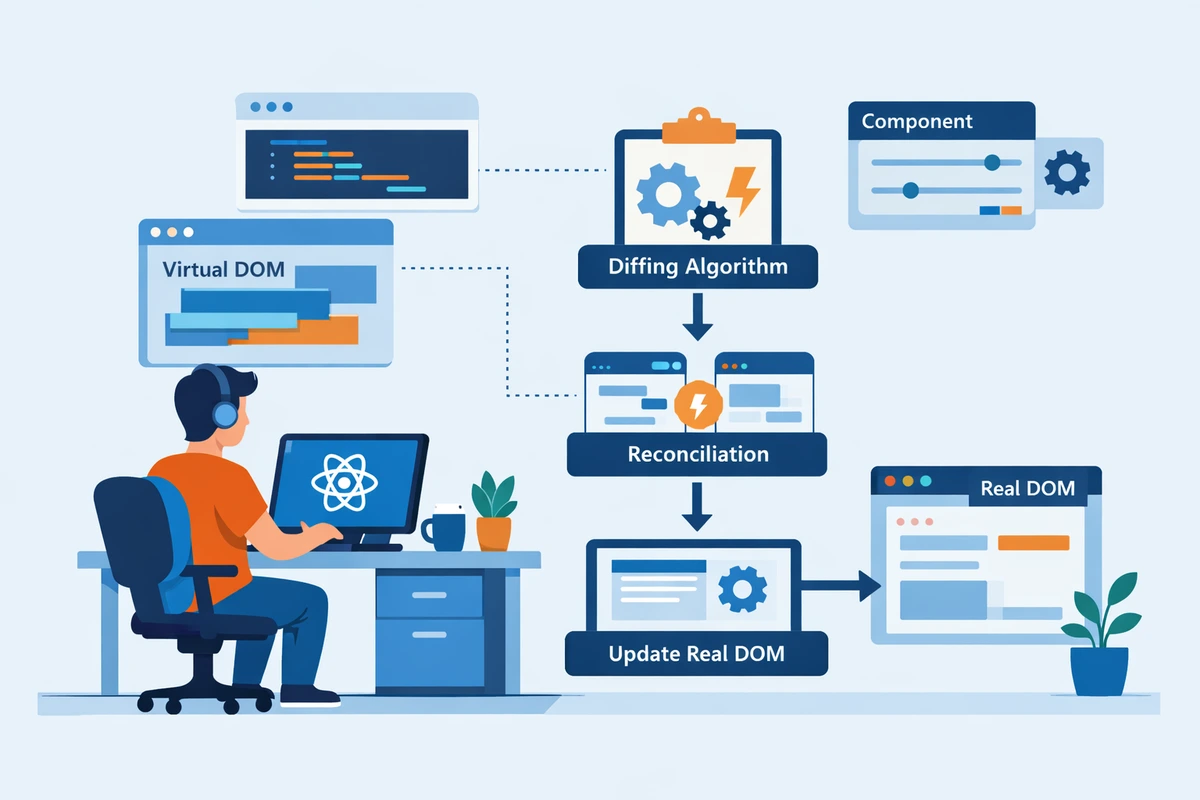
How React Rendering Works: The Complete Technical Guide
React's rendering system is one of the most sophisticated pieces of modern JavaScript. Understanding how it works is crucial for writing performant applications and debugging subtle issues. Yet many developers use React for years without understanding these internals.
This guide pulls back the curtain on React's rendering engine, explaining the virtual DOM, the reconciliation algorithm, Fiber architecture, and how React 18's concurrent rendering transforms the game.
Table of Contents
- The Problem React Solves
- Virtual DOM Concept
- The Rendering Process
- Reconciliation Algorithm
- Fiber Architecture
- State Batching
- Concurrent Rendering
- Performance Implications
- Optimization Strategies
- Real-World Scenarios
- FAQ
The Problem React Solves {#problem}
To understand why React's rendering system is complex, we need to understand the problem it solves.
The DOM Performance Problem
// Without React, updating UI is manual and expensive
function updateUserUI(user) {
  // Each of these is expensive:
  const nameElement = document.getElementById('name');
  nameElement.textContent = user.name;

  const emailElement = document.getElementById('email');
  emailElement.textContent = user.email;

  const avatarElement = document.getElementById('avatar');
  avatarElement.src = user.avatar;

  const roleElement = document.getElementById('role');
  roleElement.textContent = user.role;
  // 4 DOM reads/writes = slow!
}
Why is DOM manipulation slow?
- DOM reads are expensive — Accessing the DOM requires crossing the JavaScript→Browser boundary
- DOM writes are expensive — Changes require recalculation, reflow, repaint
- Frequent updates compound the problem — Multiple updates = multiple expensive operations
React's Solution
Instead of directly manipulating the DOM, React:
- Maintains a virtual representation (virtual DOM)
- Compares old and new virtual representations
- Determines minimal changes needed
- Applies only necessary updates to the real DOM
This approach reduces expensive DOM operations dramatically.
Virtual DOM Concept {#virtual-dom}
What Is the Virtual DOM?
The virtual DOM is an in-memory representation of the UI structure, implemented as JavaScript objects.
// Real DOM (in browser)
<div className="container">
  <h1>Title</h1>
  <p>Content</p>
</div>

// Virtual DOM (JavaScript objects)
{
  type: 'div',
  props: { className: 'container' },
  children: [
    {
      type: 'h1',
      props: {},
      children: ['Title']
    },
    {
      type: 'p',
      props: {},
      children: ['Content']
    }
  ]
}Why Virtual DOM?
Comparing objects is much faster than reading DOM:
// ❌ SLOW: Reading actual DOM
const currentDOM = document.getElementById('app').innerHTML;
const newDOM = renderComponent(state);
if (currentDOM !== newDOM) { /* update */ }

// ✅ FAST: Comparing JavaScript objects
const currentVDOM = { type: 'div', children: [...] };
const newVDOM = { type: 'div', children: [...] };
if (currentVDOM !== newVDOM) { /* update */ }Virtual DOM Workflow
┌─────────────────────────────────────┐
│  Component State Changes            │
└────────────┬────────────────────────┘
             │
             ▼
┌─────────────────────────────────────┐
│  React Calls Component Function     │
│  Receives New JSX (New VDOM)        │
└────────────┬────────────────────────┘
             │
             ▼
┌─────────────────────────────────────┐
│  Compare Old VDOM vs New VDOM       │
│  (Reconciliation)                   │
└────────────┬────────────────────────┘
             │
             ▼
┌─────────────────────────────────────┐
│  Determine Minimal Changes          │
│  (Diff)                             │
└────────────┬────────────────────────┘
             │
             ▼
┌─────────────────────────────────────┐
│  Update Real DOM (Commit)           │
│  Update Virtual DOM                 │
└─────────────────────────────────────┘The Rendering Process {#rendering-process}
React's rendering happens in two distinct phases:
Phase 1: Render Phase
React computes what changes are needed without touching the DOM.
// React internal pseudocode for Render phase:
function render(component, previousVDOM) {
  // 1. Call component function to get new JSX
  const newVDOM = component.type(component.props);

  // 2. Compare old and new VDOM (reconciliation)
  const changes = reconcile(previousVDOM, newVDOM);

  // 3. Build list of updates
  // NOTE: DOM is NOT updated yet
  return changes;
}
Characteristics:
- Can be paused, aborted, or restarted (React 18+)
- Pure — no side effects should occur
- Multiple components can be processed together
Phase 2: Commit Phase
React actually updates the DOM and runs side effects.
// React internal pseudocode for Commit phase:
function commit(changes) {
  // 1. Update real DOM
  for (const change of changes) {
    applyDOMUpdate(change);
  }

  // 2. Update VDOM
  previousVDOM = newVDOM;

  // 3. Run lifecycle/hooks
  runLayoutEffects();
  runEffects();

  // 4. Update ref
  updateRefs();
}
Characteristics:
- Cannot be paused or aborted
- Can have side effects (this is when they're safe to run)
- Must complete atomically (all or nothing)
Complete Example
function Counter() {
  const [count, setCount] = useState(0);

  return (
    <div>
      <p>Count: {count}</p>
      <button onClick={() => setCount(count + 1)}>
        Increment
      </button>
    </div>
  );
}

// User clicks button:

// RENDER PHASE (React internal):
// 1. setCount(1) called
// 2. React marks Counter as needing update
// 3. Counter() function runs
// 4. New JSX returned with count=1
// 5. React compares old VDOM (count=0) vs new VDOM (count=1)
// 6. Determines: text node "Count: 0" → "Count: 1" needs change

// COMMIT PHASE (DOM updates):
// 1. DOM updated: <p> text changed to "Count: 1"
// 2. Browser repaints screen
// 3. User sees new countReconciliation Algorithm {#reconciliation}
Reconciliation is how React figures out which parts changed between two virtual DOMs.
Key Insight: The Diff Algorithm
React can't just compare two VDOM trees element-by-element (would be O(n³)).
Instead, React uses heuristics (assumptions) that work for real UIs:
- Same type elements have same children
- Elements with keys maintain identity across renders
- Most UI changes are local (not global restructuring)
Example: Comparing VDOM
// Old VDOM
const oldVDOM = {
  type: 'ul',
  children: [
    { type: 'li', key: 'a', children: ['Item A'] },
    { type: 'li', key: 'b', children: ['Item B'] },
  ]
};

// New VDOM
const newVDOM = {
  type: 'ul',
  children: [
    { type: 'li', key: 'c', children: ['Item C'] },
    { type: 'li', key: 'a', children: ['Item A'] },
    { type: 'li', key: 'b', children: ['Item B'] },
  ]
};

// React's diff:
// - New item with key 'c' → INSERT new <li>
// - Item 'a' moved from index 0 to 1 → MOVE (reuse existing DOM)
// - Item 'b' moved from index 1 to 2 → MOVE (reuse existing DOM)

// Without keys:
// - DELETE all 2 items, INSERT 3 new items (inefficient!)
This is why keys matter:
// ❌ BAD: No keys
{items.map((item, index) => (
  <li key={index}>{item}</li>  // Using index as key breaks reconciliation
))}

// ✅ GOOD: Unique, stable keys
{items.map((item) => (
  <li key={item.id}>{item.name}</li>  // Stable identifier
))}Fiber Architecture {#fiber}
React 16 introduced Fiber, a complete rewrite of the reconciliation engine. It enables incremental rendering and prioritization.
What Is Fiber?
A Fiber is a JavaScript object representing a unit of work:
interface Fiber {
  // Component information
  type: Function | string;
  props: Record<string, any>;
  key: string | null;

  // Instance information
  state: any;
  memoizedProps: Record<string, any>;
  memoizedState: any;

  // Relationships
  parent: Fiber | null;
  child: Fiber | null;
  sibling: Fiber | null;

  // Effects
  effectTag: 'PLACEMENT' | 'UPDATE' | 'DELETION' | null;
  effects: Fiber[];

  // Scheduling
  expirationTime: number;
  childExpirationTime: number;
}Fiber Tree Structure
┌─────────────┐
        │   <App>     │
        └────┬────────┘
             │
        ┌────┴─────────┐
        │              │
    ┌───▼──┐       ┌──▼──┐
    │<Nav> │       │<Main>│
    └──────┘       └──┬───┘
                      │
                   ┌──┴──┐
                   │     │
              ┌────▼──┐┌─▼────┐
              │<List> ││<Card>│
              └───────┘└──────┘

// Fiber links it together:
// App.child → Nav
// Nav.sibling → Main
// Main.child → List
// List.sibling → CardAdvantages of Fiber
- Incremental rendering — Can pause/resume rendering
- Prioritization — High-priority updates (user input) before low-priority (data fetching)
- Error handling — Error boundaries work with Fiber
- Concurrent features — Foundation for React 18+ concurrent rendering
State Batching {#batching}
React automatically batches multiple state updates to avoid unnecessary re-renders.
Automatic Batching
function Counter() {
  const [count, setCount] = useState(0);
  const [isVisible, setIsVisible] = useState(false);

  const handleClick = () => {
    // ✅ Both updates batched = 1 re-render
    setCount(count + 1);
    setIsVisible(true);
  };

  return (
    <div>
      <p>{count}</p>
      <button onClick={handleClick}>Update</button>
    </div>
  );
}

// Without batching: 2 re-renders
// With batching: 1 re-renderReact 18: Automatic Batching Everywhere
React 17 and below:
// ❌ NOT batched (promises, timers, events)
setTimeout(() => {
  setCount(c => c + 1);      // Re-render
  setVisible(v => !v);       // Re-render (2 total)
}, 0);

// ✅ Batched (event handlers only)
const handleClick = () => {
  setCount(c => c + 1);      // Batched
  setVisible(v => !v);       // Batched (1 re-render)
};
React 18+:
// ✅ ALL batched automatically
setTimeout(() => {
  setCount(c => c + 1);      // Batched
  setVisible(v => !v);       // Batched (1 re-render)
}, 0);

// Can opt out if needed:
import { flushSync } from 'react-dom';

setTimeout(() => {
  flushSync(() => setCount(c => c + 1));  // Immediate
  setVisible(v => !v);                    // Still batched
}, 0);Concurrent Rendering {#concurrent}
React 18 introduces concurrent rendering — the ability to interrupt rendering for higher-priority work.
Before: Blocking Rendering
// Old React rendering
State changes → Synchronous render → DOM update
                (cannot interrupt)
If render is slow, user input feels sluggish (no responsiveness).
After: Concurrent Rendering
// React 18 concurrent rendering
State change (high priority)
  ↓
Pause current render
  ↓
Handle high priority work (user input)
  ↓
Resume previous render
  ↓
DOM updatePriority Levels
// Immediate (user interaction, must be fast)
flushSync(() => setState(...));

// High (user input, animations)
startTransition(() => setState(...));
// or
useTransition();

// Low (data fetching, etc)
setState(...);Example: useTransition
import { useTransition } from 'react';

function SearchResults() {
  const [searchTerm, setSearchTerm] = useState('');
  const [results, setResults] = useState([]);
  const [isPending, startTransition] = useTransition();

  const handleSearch = (term: string) => {
    setSearchTerm(term); // Immediate update

    // Expensive update marked as low-priority
    startTransition(() => {
      const newResults = expensiveSearch(term);
      setResults(newResults);
    });
  };

  return (
    <div>
      <input
        value={searchTerm}
        onChange={(e) => handleSearch(e.target.value)}
      />
      {isPending && <p>Searching...</p>}
      {results.map((r) => (
        <div key={r.id}>{r.title}</div>
      ))}
    </div>
  );
}

// User types quickly:
// 1. Each keystroke immediately updates input (high priority)
// 2. Search happens in background (low priority)
// 3. UI stays responsivePerformance Implications {#performance}
Myth: Virtual DOM Is Always Fast
Truth: Virtual DOM prevents unnecessary DOM updates, but:
- Creating VDOM still costs CPU
- Comparing VDOM costs CPU
- Excessive re-renders can tank performance
// ❌ SLOW: Even with VDOM
function Slow() {
  const [count, setCount] = useState(0);
  const expensive = computeExpensiveValue(count);

  return (
    <div>
      <p>{count}</p>
      <ExpensiveComponent data={expensive} />
    </div>
  );
}

// Every count change:
// 1. computeExpensiveValue() runs (expensive)
// 2. Slow re-renders every time (even if data didn't change)

// ✅ FAST: Optimize with memoization
function Fast() {
  const [count, setCount] = useState(0);
  const expensive = useMemo(
    () => computeExpensiveValue(count),
    [count]
  );

  return (
    <div>
      <p>{count}</p>
      <ExpensiveComponent data={expensive} />
    </div>
  );
}When Re-renders Happen
function Parent() {
  const [state, setState] = useState(0);

  return (
    <div>
      <button onClick={() => setState(state + 1)}>Click</button>
      <Child />               {/* ⚠️ Re-renders even if props unchanged */}
      <ExpensiveChild />      {/* ⚠️ Always re-renders (even if VDOM same) */}
    </div>
  );
}
Rule: When parent renders, all children render too (regardless of props).
Solution: Use React.memo to prevent unnecessary re-renders:
const Child = React.memo(function Child() {
  return <div>Child</div>;  // ✅ Only re-renders if props change
});

const ExpensiveChild = React.memo(function ExpensiveChild() {
  // Expensive calculations
  return <div>Result</div>;
});Optimization Strategies {#optimization}
1. Memoization
// Memoize expensive values
const memoValue = useMemo(() => computeExpensive(data), [data]);

// Memoize functions
const memoFunc = useCallback(() => handleClick(), [dependencies]);

// Memoize components
const MemoChild = React.memo(Child);2. Code Splitting
// Split large bundles to load only what's needed
const LazyComponent = lazy(() => import('./Heavy'));

<Suspense fallback={<div>Loading...</div>}>
  <LazyComponent />
</Suspense>3. Optimize State Structure
// ❌ BAD: Large single state
const [state, setState] = useState({
  user: {...},
  posts: [...],
  comments: [...],
  ui: {...}
});

// ✅ GOOD: Split by concern
const [user, setUser] = useState({...});
const [posts, setPosts] = useState([...]);
const [comments, setComments] = useState([...]);
const [ui, setUI] = useState({...});4. Use Keys Correctly
// ❌ BAD: Array index as key
{items.map((item, index) => (
  <div key={index}>{item}</div>
))}

// ✅ GOOD: Stable unique identifier
{items.map((item) => (
  <div key={item.id}>{item.name}</div>
))}Real-World Scenarios {#scenarios}
Scenario 1: Form Input Debouncing
function SearchForm() {
  const [query, setQuery] = useState('');
  const [results, setResults] = useState([]);

  const handleSearch = (value: string) => {
    setQuery(value); // Immediate UI update

    // Debounce expensive search
    clearTimeout(searchTimeout);
    searchTimeout = setTimeout(() => {
      const res = search(value);
      setResults(res);
    }, 300);
  };

  return (
    <div>
      <input value={query} onChange={(e) => handleSearch(e.target.value)} />
      {results.map((r) => (
        <div key={r.id}>{r.title}</div>
      ))}
    </div>
  );
}

// Rendering benefit:
// - Input updates immediately (responsive)
// - Search batched and debounced (efficient)Scenario 2: Infinite Scroll
function InfiniteList() {
  const [items, setItems] = useState<Item[]>([]);
  const [page, setPage] = useState(1);

  const loadMore = () => {
    startTransition(() => {
      const newItems = fetchPage(page);
      setItems((prev) => [...prev, ...newItems]);
      setPage((p) => p + 1);
    });
  };

  return (
    <div onScroll={handleScroll}>
      {items.map((item) => (
        <ItemCard key={item.id} item={item} />
      ))}
    </div>
  );
}

// Rendering benefit:
// - Scroll remains smooth (not blocked by data fetch)
// - Items append in backgroundFAQ {#faq}
Q: Is virtual DOM always faster than direct DOM manipulation?
A: No, it's faster for complex applications with frequent updates. For simple pages, direct DOM might be faster. But VDOM prevents bugs and simplifies development.
Q: Do I need to understand Fiber to use React?
A: No, you can write React code without understanding Fiber. But understanding it helps you write performant code.
Q: Why does React re-render child components when parent renders?
A: To ensure UI is consistent with state. React doesn't know if child needs updating without running it. VDOM comparison prevents DOM updates if output is unchanged.
Q: When should I use useMemo?
A: When a computation is expensive and runs frequently. Don't over-optimize — measure first.
Q: Does React.memo prevent re-renders?
A: React.memo prevents re-rendering if props haven't changed. But it adds comparison overhead, so it's beneficial only for expensive components.
Q: What's the difference between render and commit phases?
A: Render calculates changes (can be interrupted). Commit applies changes to DOM and runs effects (cannot be interrupted).
Q: How does concurrent rendering affect my code?
A: Usually transparently — features like Suspense and useTransition let you leverage it. Updates marked with startTransition are interruptible.
Q: Can I manually trigger rendering?
A: Only via state changes (setState). You can't directly call render().
Deep understanding enables optimization: Now that you understand React's rendering system, you can write code that works with React's internals instead of against them. This leads to naturally performant applications.
Next Steps: Master performance optimization techniques, learn useCallback and useMemo patterns, and explore Suspense and concurrent features.