
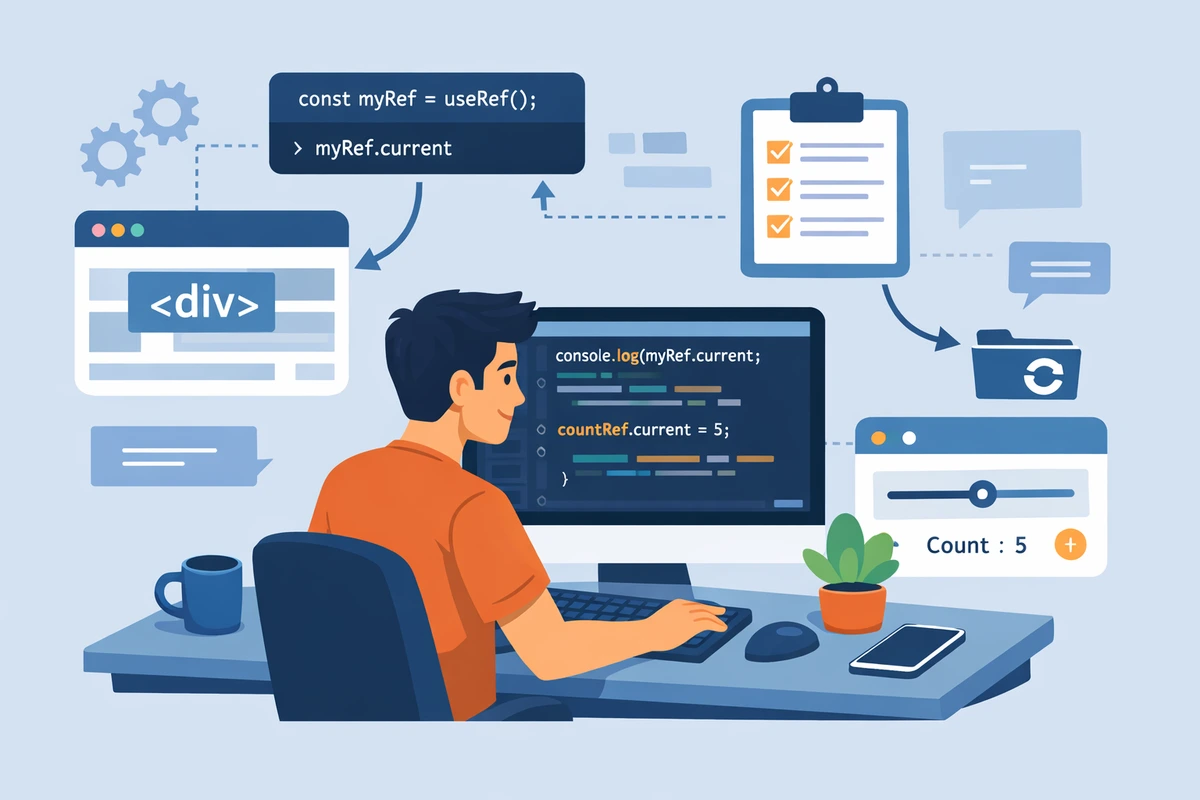
useRef Explained: Direct DOM Access and Mutable Values
useRef is React's escape hatch for when you need to break out of the declarative paradigm. While most React development stays "purely functional," sometimes you need to imperatively grab a DOM element, set focus, or store a value that persists across renders without triggering re-renders. This guide shows you when useRef is the right tool and when it's a crutch that masks a deeper design problem.
Table of Contents
- What is useRef and When to Use It
- Two Distinct Use Cases
- Accessing DOM Elements
- Storing Persistent Values
- useRef vs useState: Key Differences
- Controlled vs Uncontrolled Components
- Common Mistakes
- Real-World Patterns
- forwardRef for Custom Components
- FAQ
What is useRef and When to Use It
The Core Concept
useRef creates a mutable container that:
- Persists across renders - The value doesn't reset when the component re-renders
- Doesn't trigger re-renders - Changing
ref.currentis synchronous and silent - Provides direct access - You can access and modify the value imperatively
import { useRef } from 'react';

export function Example() {
  // Create a ref with initial value of null
  const myRef = useRef<HTMLInputElement>(null);

  // Access and modify the value via .current
  const handleClick = () => {
    if (myRef.current) {
      myRef.current.focus(); // Imperatively set focus
    }
  };

  return (
    <>
      <input ref={myRef} type="text" />
      <button onClick={handleClick}>Focus Input</button>
    </>
  );
}import { useRef } from 'react';
export function Example() {
const myRef = useRef(null);
const handleClick = () => {
if (myRef.current) {
myRef.current.focus();
}
};
return (
<>
<input ref={myRef} type="text" />
<button onClick={handleClick}>Focus Input</button>
</>
);
}The Critical Difference from useState
useState updates trigger re-renders. useRef updates don't:
export function Counter() {
  const [stateCount, setStateCount] = useState(0);
  const refCount = useRef(0);

  const handleClick = () => {
    setStateCount(stateCount + 1); // Triggers re-render
    refCount.current += 1; // Silent update, no re-render
  };

  return (
    <div>
      <p>State: {stateCount}</p>
      <p>Ref: {refCount.current}</p> {/* Always shows same value */}
      <button onClick={handleClick}>Increment</button>
    </div>
  );
}Two Distinct Use Cases
Use Case 1: Direct DOM Access
Getting values from or calling methods on DOM elements without triggering state updates:
export function EmailForm() {
  const emailRef = useRef<HTMLInputElement>(null);

  const handleSubmit = (e: React.FormEvent) => {
    e.preventDefault();

    // Read the value imperatively
    if (emailRef.current) {
      const email = emailRef.current.value;
      console.log('Submitted:', email);
      // Send to server...
    }
  };

  return (
    <form onSubmit={handleSubmit}>
      <input
        ref={emailRef}
        type="email"
        placeholder="Enter email"
      />
      <button type="submit">Submit</button>
    </form>
  );
}Use Case 2: Storing Persistent Values
Keeping track of values that survive component re-renders without triggering them:
import { useRef, useEffect } from 'react';

export function DebugComponent() {
  // Track the number of times this component has rendered
  const renderCount = useRef(0);

  useEffect(() => {
    renderCount.current += 1;
    console.log(`Component rendered ${renderCount.current} times`);
  });

  return (
    <div>
      This component has rendered {renderCount.current} times (check console)
    </div>
  );
}
Notice: The display still shows 0 (the initial value) because changing ref.current doesn't trigger a re-render. But the console logs the actual count.
Accessing DOM Elements
Common DOM Operations
import { useRef } from 'react';

export function VideoPlayer() {
  const videoRef = useRef<HTMLVideoElement>(null);

  const play = () => {
    videoRef.current?.play();
  };

  const pause = () => {
    videoRef.current?.pause();
  };

  const toggleMute = () => {
    if (videoRef.current) {
      videoRef.current.muted = !videoRef.current.muted;
    }
  };

  return (
    <div>
      <video ref={videoRef} width="300" controls>
        <source src="video.mp4" type="video/mp4" />
      </video>
      <div>
        <button onClick={play}>Play</button>
        <button onClick={pause}>Pause</button>
        <button onClick={toggleMute}>Mute</button>
      </div>
    </div>
  );
}export function VideoPlayer() {
const videoRef = useRef(null);
const play = () => {
videoRef.current?.play();
};
const pause = () => {
videoRef.current?.pause();
};
const toggleMute = () => {
if (videoRef.current) {
videoRef.current.muted = !videoRef.current.muted;
}
};
return (
<div>
<video ref={videoRef} width="300" controls>
<source src="video.mp4" type="video/mp4" />
</video>
<div>
<button onClick={play}>Play</button>
<button onClick={pause}>Pause</button>
<button onClick={toggleMute}>Mute</button>
</div>
</div>
);
}Setting Focus
One of the most legitimate uses of useRef:
import { useRef } from 'react';

export function SearchBox() {
  const inputRef = useRef<HTMLInputElement>(null);

  const focusSearch = () => {
    inputRef.current?.focus();
  };

  // Focus on keyboard shortcut (Ctrl+K)
  const handleKeyDown = (e: React.KeyboardEvent) => {
    if ((e.ctrlKey || e.metaKey) && e.key === 'k') {
      e.preventDefault();
      focusSearch();
    }
  };

  return (
    <div onKeyDown={handleKeyDown} tabIndex={0}>
      <input
        ref={inputRef}
        type="search"
        placeholder="Search... (Ctrl+K)"
      />
    </div>
  );
}Storing Persistent Values
Tracking Previous State
import { useRef, useEffect, useState } from 'react';

export function PreviousValue() {
  const [count, setCount] = useState(0);
  const prevCountRef = useRef<number>();

  useEffect(() => {
    prevCountRef.current = count;
  }, [count]);

  return (
    <div>
      <p>Current: {count}</p>
      <p>Previous: {prevCountRef.current}</p>
      <button onClick={() => setCount(c => c + 1)}>Increment</button>
    </div>
  );
}Managing Timers and Intervals
import { useRef, useState } from 'react';

export function StopWatch() {
  const [elapsed, setElapsed] = useState(0);
  const [isRunning, setIsRunning] = useState(false);
  const intervalRef = useRef<NodeJS.Timeout | null>(null);

  const start = () => {
    if (isRunning) return;

    setIsRunning(true);
    intervalRef.current = setInterval(() => {
      setElapsed(prev => prev + 1);
    }, 1000);
  };

  const stop = () => {
    setIsRunning(false);
    if (intervalRef.current) {
      clearInterval(intervalRef.current);
    }
  };

  const reset = () => {
    stop();
    setElapsed(0);
  };

  return (
    <div>
      <p>Elapsed: {elapsed}s</p>
      <button onClick={start} disabled={isRunning}>Start</button>
      <button onClick={stop} disabled={!isRunning}>Stop</button>
      <button onClick={reset}>Reset</button>
    </div>
  );
}useRef vs useState: Key Differences
The Comparison Table
| Aspect | useRef | useState |
|---|---|---|
| Triggers re-render | ❌ No | ✅ Yes |
| Returns current value | ref.current |
State value directly |
| Update is synchronous | ✅ Yes | ❌ Batched/async |
| Initial value | Wrapped in .current |
Used directly |
| Persists across renders | ✅ Yes | ✅ Yes |
| Use for | DOM access, mutable storage | Component state |
| Causes UI updates | ❌ Never | ✅ Always |
When to Use Each
Use useState when:
- The value changes need to update the UI
- You're managing component state
- The change should trigger a re-render
// ✅ CORRECT: Use state for UI updates
export function Form() {
  const [email, setEmail] = useState('');

  return (
    <div>
      <input
        value={email}
        onChange={(e) => setEmail(e.target.value)}
      />
      <p>You entered: {email}</p> {/* Updates as you type */}
    </div>
  );
}
Use useRef when:
- You need direct DOM access
- You're storing values that don't need to update the UI
- You need persistence across renders without re-renders
// ✅ CORRECT: Use ref for silent persistence
export function RenderCounter() {
  const renderCount = useRef(0);

  useEffect(() => {
    renderCount.current += 1;
  });

  return <div>{/* renderCount changes silently */}</div>;
}Controlled vs Uncontrolled Components
Controlled Components (with State)
React controls the input value via state:
export function ControlledInput() {
  const [value, setValue] = useState('');

  return (
    <input
      value={value} // React controls the value
      onChange={(e) => setValue(e.target.value)}
      placeholder="Controlled input"
    />
  );
}
Advantages:
- React knows the input value at all times
- Easy to validate, transform, or reset
- Can implement real-time features (autosave, autocomplete)
Uncontrolled Components (with Refs)
The DOM element controls its own value:
export function UncontrolledInput() {
  const inputRef = useRef<HTMLInputElement>(null);

  const handleSubmit = (e: React.FormEvent) => {
    e.preventDefault();
    console.log('Value:', inputRef.current?.value);
  };

  return (
    <form onSubmit={handleSubmit}>
      <input
        ref={inputRef}
        defaultValue="Uncontrolled input"
        placeholder="Type something"
      />
      <button type="submit">Submit</button>
    </form>
  );
}
When to use:
- Simple read-on-submit scenarios
- Integrating with non-React code
- Performance-critical forms with many inputs
Disadvantages:
- React doesn't know the current value
- Hard to implement validation
- Difficult to reset or manipulate
Which Should You Use?
Controlled (useState) is usually better. Use uncontrolled (useRef) only when you have a specific reason:
| Scenario | Recommendation |
|---|---|
| Normal form input | Controlled (useState) |
| File upload | Uncontrolled (useRef) |
| Text input that needs real-time validation | Controlled (useState) |
| Large form with many inputs (performance) | Uncontrolled (useRef) |
| Rich text editor integration | Uncontrolled (useRef) |
Common Mistakes
Mistake 1: Using Ref for State That Should Update UI
export function BadExample() {
  const countRef = useRef(0);

  // ❌ WRONG: Ref doesn't trigger re-renders
  return (
    <div>
      <p>Count: {countRef.current}</p>
      <button onClick={() => countRef.current++}>
        Increment {/* UI won't update */}
      </button>
    </div>
  );
}

// ✅ CORRECT: Use state for UI updates
export function GoodExample() {
  const [count, setCount] = useState(0);

  return (
    <div>
      <p>Count: {count}</p>
      <button onClick={() => setCount(c => c + 1)}>
        Increment
      </button>
    </div>
  );
}Mistake 2: Forgetting .current
export function Example() {
  const inputRef = useRef<HTMLInputElement>(null);

  // ❌ WRONG: Ref is the wrapper, not the DOM element
  const handleClick = () => {
    inputRef.focus(); // TypeError!
  };

  // ✅ CORRECT: Access the DOM element via .current
  const handleClick2 = () => {
    inputRef.current?.focus();
  };

  return <input ref={inputRef} />;
}Mistake 3: Creating Refs Outside Components
// ❌ WRONG: Ref shared across all instances
const globalRef = useRef(null);

export function Component() {
  return <input ref={globalRef} />;
}

// ✅ CORRECT: Each instance gets its own ref
export function Component() {
  const inputRef = useRef(null);
  return <input ref={inputRef} />;
}Mistake 4: Storing Objects Without Consideration
export function BadObjectRef() {
  const configRef = useRef({ limit: 10 });

  // ❌ PROBLEM: New object on every render defeats the purpose
  configRef.current = { limit: getValue() };

  return <div>Config: {configRef.current.limit}</div>;
}

// ✅ BETTER: Store the config once
export function GoodObjectRef() {
  const configRef = useRef({ limit: 10 });

  // Only update if necessary
  const updateLimit = (newLimit: number) => {
    configRef.current.limit = newLimit;
  };

  return <div>Config: {configRef.current.limit}</div>;
}Real-World Patterns
Pattern 1: Form Submission
Reading multiple input values without useState:
import { useRef } from 'react';

interface FormData {
  name: string;
  email: string;
  message: string;
}

export function ContactForm() {
  const nameRef = useRef<HTMLInputElement>(null);
  const emailRef = useRef<HTMLInputElement>(null);
  const messageRef = useRef<HTMLTextAreaElement>(null);

  const handleSubmit = async (e: React.FormEvent) => {
    e.preventDefault();

    const formData: FormData = {
      name: nameRef.current?.value || '',
      email: emailRef.current?.value || '',
      message: messageRef.current?.value || '',
    };

    // Validate
    if (!formData.email.includes('@')) {
      alert('Invalid email');
      emailRef.current?.focus();
      return;
    }

    // Submit
    const response = await fetch('/api/contact', {
      method: 'POST',
      body: JSON.stringify(formData),
    });

    if (response.ok) {
      // Reset form
      nameRef.current!.value = '';
      emailRef.current!.value = '';
      messageRef.current!.value = '';
    }
  };

  return (
    <form onSubmit={handleSubmit}>
      <input
        ref={nameRef}
        type="text"
        placeholder="Name"
        required
      />
      <input
        ref={emailRef}
        type="email"
        placeholder="Email"
        required
      />
      <textarea
        ref={messageRef}
        placeholder="Message"
        required
      />
      <button type="submit">Send</button>
    </form>
  );
}Pattern 2: Integration with Third-Party Libraries
import { useRef, useEffect } from 'react';

interface ChartLibraryInstance {
  render: (data: any) => void;
  destroy: () => void;
}

declare function createChart(el: HTMLElement): ChartLibraryInstance;

export function Chart({ data }: { data: any[] }) {
  const containerRef = useRef<HTMLDivElement>(null);
  const chartRef = useRef<ChartLibraryInstance | null>(null);

  useEffect(() => {
    if (!containerRef.current) return;

    // Initialize third-party library
    chartRef.current = createChart(containerRef.current);
    chartRef.current.render(data);

    // Cleanup
    return () => {
      chartRef.current?.destroy();
    };
  }, [data]);

  return <div ref={containerRef} style={{ width: '100%', height: '400px' }} />;
}Pattern 3: Focus Management
import { useRef } from 'react';

export function Dialog({ isOpen }: { isOpen: boolean }) {
  const closeButtonRef = useRef<HTMLButtonElement>(null);

  // Focus close button when dialog opens
  const handleOpenChange = (open: boolean) => {
    if (open) {
      setTimeout(() => closeButtonRef.current?.focus(), 0);
    }
  };

  return (
    isOpen && (
      <div role="dialog">
        <h2>Dialog Title</h2>
        <p>Dialog content</p>
        <button ref={closeButtonRef}>Close</button>
      </div>
    )
  );
}forwardRef for Custom Components
The Problem
You can't use ref on custom components by default:
// ❌ This doesn't work
const myRef = useRef(null);
<MyCustomInput ref={myRef} />; // Won't workThe Solution: forwardRef
forwardRef lets custom components accept refs:
import { forwardRef, useRef } from 'react';

interface CustomInputProps {
  placeholder?: string;
}

// Accept ref as a second parameter
const CustomInput = forwardRef<HTMLInputElement, CustomInputProps>(
  ({ placeholder }, ref) => {
    return (
      <input
        ref={ref}
        type="text"
        placeholder={placeholder}
        className="custom-input"
      />
    );
  }
);

CustomInput.displayName = 'CustomInput';

export function App() {
  const inputRef = useRef<HTMLInputElement>(null);

  const focus = () => {
    inputRef.current?.focus();
  };

  return (
    <div>
      <CustomInput ref={inputRef} placeholder="Type here..." />
      <button onClick={focus}>Focus Custom Input</button>
    </div>
  );
}FAQ
Q: Should I use useRef or useState for storing temporary data?
A:
- useState if the data changes need to update the UI
- useRef if the data changes should be silent and synchronous
Q: Can I use useRef with objects and arrays?
A: Yes, but be careful:
const dataRef = useRef({ items: [] });

// ❌ PROBLEM: This creates a new object on every render
dataRef.current = { items: newItems };

// ✅ BETTER: Mutate the existing object
dataRef.current.items = newItems;Q: Is useRef slower than useState?
A: useRef is slightly faster (no re-render overhead), but this rarely matters in practice. Choose based on semantic correctness, not performance.
Q: Can I access a ref in useEffect?
A: Yes, and it's safe:
const inputRef = useRef(null);

useEffect(() => {
  // Safe to access ref here
  console.log(inputRef.current?.value);
}, []);Q: What happens to a ref when the component unmounts?
A: The ref is cleaned up. Any DOM references it held are invalid.
Q: Should I use refs for managing component visibility?
A: No, use state instead:
// ❌ WRONG: Imperative with refs
const dialogRef = useRef(null);
dialogRef.current?.showModal();

// ✅ CORRECT: Declarative with state
const [isOpen, setIsOpen] = useState(false);Related Articles
- useEffect Hook: 6 Common Mistakes
- useState Hook: Managing Component State
- Controlled vs Uncontrolled Components
- Form Handling Best Practices
Final Thought: The React philosophy is "tell React what the UI should look like, and let React handle the DOM." useRef is your exception valve—use it when you absolutely need imperatively control the DOM, but reach for it sparingly. If you find yourself using useRef constantly, it might signal that your component hierarchy or state management needs rethinking.
Share your experience: What was a time you used useRef effectively? What did you try first that didn't work? What patterns have you found most useful?