
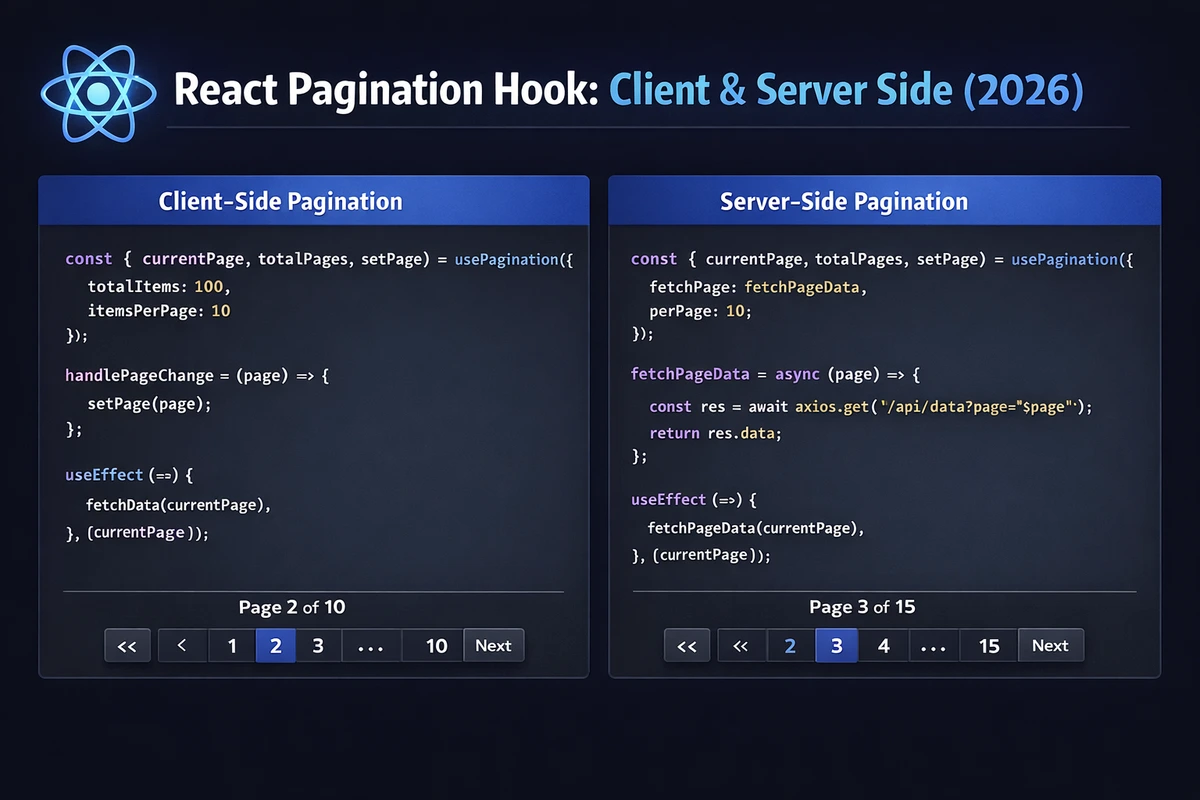
React Pagination Hook: Client & Server Side (2026)
You've built the same pagination logic five times across different components. Calculate total pages here, handle "next page" there, sync with URL parameters somewhere else. Each implementation slightly different, all equally bug-prone when edge cases appear.
This guide shows you how to build a bulletproof usePagination hook that handles both client-side and server-side pagination, URL synchronization, edge case validation, and performance optimization. No third-party libraries—just React, TypeScript, and solid engineering.
Table of Contents
- Why Build a Pagination Hook?
- Core Pagination Concepts
- Basic Implementation: Client-Side Pagination
- Page Calculation Logic with useMemo
- Navigation Functions with useCallback
- Server-Side Pagination Support
- URL Synchronization
- Advanced Features: Page Size Control
- Infinite Scroll Alternative
- Complete Hook Implementation
- Practical Example: GitHub Repositories List
- FAQ
Why Build a Pagination Hook?
Consider typical pagination implementation across multiple components:
// Component 1: User list
function UserList() {
  const [currentPage, setCurrentPage] = useState(1);
  const [pageSize] = useState(10);
  const totalPages = Math.ceil(users.length / pageSize);
  const startIndex = (currentPage - 1) * pageSize;
  const paginatedUsers = users.slice(startIndex, startIndex + pageSize);
  // 20+ lines of pagination logic...
}

// Component 2: Product catalog
function ProductCatalog() {
  const [currentPage, setCurrentPage] = useState(1);
  const [pageSize] = useState(20);
  const totalPages = Math.ceil(products.length / pageSize);
  const startIndex = (currentPage - 1) * pageSize;
  const paginatedProducts = products.slice(startIndex, startIndex + pageSize);
  // Same 20+ lines duplicated...
}
Problems with duplication:
- Inconsistent page boundary handling
- Different edge case behaviors
- Hard to add URL sync later
- Testing means testing every component
- Bugs propagate across codebase
A custom hook centralizes this logic into a tested, reusable function.
Core Pagination Concepts
Before building, understand the math:
// Given:
const totalItems = 95;      // Total items in dataset
const pageSize = 10;        // Items per page
const currentPage = 3;      // Current page (1-indexed)

// Calculate:
const totalPages = Math.ceil(totalItems / pageSize);  // 10 pages
const startIndex = (currentPage - 1) * pageSize;      // 20 (0-indexed)
const endIndex = startIndex + pageSize;               // 30
const currentItems = allItems.slice(startIndex, endIndex);

// Page boundaries:
const isFirstPage = currentPage === 1;
const isLastPage = currentPage === totalPages;
const hasPreviousPage = currentPage > 1;
const hasNextPage = currentPage < totalPages;
Key principles:
- Pages are 1-indexed (user-facing)
- Array indices are 0-indexed (internal)
- Last page may have fewer items than
pageSize - Always validate
currentPagebounds
Basic Implementation: Client-Side Pagination
Start with simplest version—paginate an array in memory:
TypeScript Version
import { useState, useMemo } from 'react';

interface UsePaginationProps<T> {
  items: T[];
  pageSize?: number;
  initialPage?: number;
}

interface UsePaginationReturn<T> {
  currentPage: number;
  totalPages: number;
  pageData: T[];
  goToPage: (page: number) => void;
  nextPage: () => void;
  previousPage: () => void;
  isFirstPage: boolean;
  isLastPage: boolean;
}

function usePagination<T>({
  items,
  pageSize = 10,
  initialPage = 1,
}: UsePaginationProps<T>): UsePaginationReturn<T> {
  const [currentPage, setCurrentPage] = useState(initialPage);

  // Calculate total pages
  const totalPages = Math.ceil(items.length / pageSize);

  // Calculate current page data
  const pageData = useMemo(() => {
    const startIndex = (currentPage - 1) * pageSize;
    const endIndex = startIndex + pageSize;
    return items.slice(startIndex, endIndex);
  }, [items, currentPage, pageSize]);

  // Navigation functions
  const goToPage = (page: number) => {
    const validPage = Math.max(1, Math.min(page, totalPages));
    setCurrentPage(validPage);
  };

  const nextPage = () => {
    if (currentPage < totalPages) {
      setCurrentPage(currentPage + 1);
    }
  };

  const previousPage = () => {
    if (currentPage > 1) {
      setCurrentPage(currentPage - 1);
    }
  };

  // Boundary checks
  const isFirstPage = currentPage === 1;
  const isLastPage = currentPage === totalPages || totalPages === 0;

  return {
    currentPage,
    totalPages,
    pageData,
    goToPage,
    nextPage,
    previousPage,
    isFirstPage,
    isLastPage,
  };
}

// Usage
interface User {
  id: number;
  name: string;
}

function UserList({ users }: { users: User[] }) {
  const {
    currentPage,
    totalPages,
    pageData,
    nextPage,
    previousPage,
    isFirstPage,
    isLastPage,
  } = usePagination({ items: users, pageSize: 10 });

  return (
    <div>
      <h2>Users (Page {currentPage} of {totalPages})</h2>

      <ul>
        {pageData.map((user) => (
          <li key={user.id}>{user.name}</li>
        ))}
      </ul>

      <div>
        <button onClick={previousPage} disabled={isFirstPage}>
          Previous
        </button>
        <span>Page {currentPage}</span>
        <button onClick={nextPage} disabled={isLastPage}>
          Next
        </button>
      </div>
    </div>
  );
}JavaScript Version
import { useState, useMemo } from 'react';

function usePagination({
  items,
  pageSize = 10,
  initialPage = 1,
}) {
  const [currentPage, setCurrentPage] = useState(initialPage);

  const totalPages = Math.ceil(items.length / pageSize);

  const pageData = useMemo(() => {
    const startIndex = (currentPage - 1) * pageSize;
    const endIndex = startIndex + pageSize;
    return items.slice(startIndex, endIndex);
  }, [items, currentPage, pageSize]);

  const goToPage = (page) => {
    const validPage = Math.max(1, Math.min(page, totalPages));
    setCurrentPage(validPage);
  };

  const nextPage = () => {
    if (currentPage < totalPages) {
      setCurrentPage(currentPage + 1);
    }
  };

  const previousPage = () => {
    if (currentPage > 1) {
      setCurrentPage(currentPage - 1);
    }
  };

  const isFirstPage = currentPage === 1;
  const isLastPage = currentPage === totalPages || totalPages === 0;

  return {
    currentPage,
    totalPages,
    pageData,
    goToPage,
    nextPage,
    previousPage,
    isFirstPage,
    isLastPage,
  };
}
Key implementation details:
useMemoprevents recalculatingpageDataon every rendergoToPagevalidates bounds (can't go to page -1 or page 9999)- Empty array results in
totalPages = 0andisLastPage = true
Page Calculation Logic with useMemo
Without memoization, pageData recalculates on every render—even when unrelated state changes:
// ❌ BAD: Recalculates on every render
function usePagination({ items, pageSize }) {
  const [currentPage, setCurrentPage] = useState(1);
  const [filterText, setFilterText] = useState(''); // Unrelated state

  // This runs on EVERY render, even when only filterText changes!
  const startIndex = (currentPage - 1) * pageSize;
  const pageData = items.slice(startIndex, startIndex + pageSize);

  return { pageData, /* ... */ };
}

// ✅ GOOD: Only recalculates when dependencies change
function usePagination({ items, pageSize }) {
  const [currentPage, setCurrentPage] = useState(1);
  const [filterText, setFilterText] = useState('');

  // Runs only when items, currentPage, or pageSize changes
  const pageData = useMemo(() => {
    const startIndex = (currentPage - 1) * pageSize;
    return items.slice(startIndex, startIndex + pageSize);
  }, [items, currentPage, pageSize]);

  return { pageData, /* ... */ };
}
Performance impact:
- Small datasets (< 100 items): Negligible difference
- Large datasets (1000+ items): 5-10ms saved per render
- Very large datasets (10,000+ items): 50-100ms saved per render
When to optimize:
- Use
useMemofor array slicing operations - Skip
useMemofor simple arithmetic (total pages calculation) - Profile before over-optimizing
Navigation Functions with useCallback
Navigation functions should be stable references to prevent child component re-renders:
TypeScript Version
import { useState, useMemo, useCallback } from 'react';

function usePagination<T>({
  items,
  pageSize = 10,
  initialPage = 1,
}: UsePaginationProps<T>) {
  const [currentPage, setCurrentPage] = useState(initialPage);

  const totalPages = useMemo(
    () => Math.ceil(items.length / pageSize),
    [items.length, pageSize]
  );

  const pageData = useMemo(() => {
    const startIndex = (currentPage - 1) * pageSize;
    return items.slice(startIndex, startIndex + pageSize);
  }, [items, currentPage, pageSize]);

  // Stable function references with useCallback
  const goToPage = useCallback((page: number) => {
    setCurrentPage((prev) => {
      const validPage = Math.max(1, Math.min(page, totalPages));
      return validPage;
    });
  }, [totalPages]);

  const nextPage = useCallback(() => {
    setCurrentPage((prev) => (prev < totalPages ? prev + 1 : prev));
  }, [totalPages]);

  const previousPage = useCallback(() => {
    setCurrentPage((prev) => (prev > 1 ? prev - 1 : prev));
  }, []);

  const isFirstPage = currentPage === 1;
  const isLastPage = currentPage === totalPages || totalPages === 0;

  return {
    currentPage,
    totalPages,
    pageData,
    goToPage,
    nextPage,
    previousPage,
    isFirstPage,
    isLastPage,
  };
}JavaScript Version
import { useState, useMemo, useCallback } from 'react';

function usePagination({ items, pageSize = 10, initialPage = 1 }) {
  const [currentPage, setCurrentPage] = useState(initialPage);

  const totalPages = useMemo(
    () => Math.ceil(items.length / pageSize),
    [items.length, pageSize]
  );

  const pageData = useMemo(() => {
    const startIndex = (currentPage - 1) * pageSize;
    return items.slice(startIndex, startIndex + pageSize);
  }, [items, currentPage, pageSize]);

  const goToPage = useCallback((page) => {
    setCurrentPage((prev) => {
      const validPage = Math.max(1, Math.min(page, totalPages));
      return validPage;
    });
  }, [totalPages]);

  const nextPage = useCallback(() => {
    setCurrentPage((prev) => (prev < totalPages ? prev + 1 : prev));
  }, [totalPages]);

  const previousPage = useCallback(() => {
    setCurrentPage((prev) => (prev > 1 ? prev - 1 : prev));
  }, []);

  const isFirstPage = currentPage === 1;
  const isLastPage = currentPage === totalPages || totalPages === 0;

  return {
    currentPage,
    totalPages,
    pageData,
    goToPage,
    nextPage,
    previousPage,
    isFirstPage,
    isLastPage,
  };
}
Why useCallback matters:
- Prevents
React.memo()child components from re-rendering unnecessarily - Stable references for
useEffectdependencies in consuming components - Essential when passing functions to optimized components
Pattern note:
Using updater function setCurrentPage(prev => ...) removes currentPage from dependencies, preventing unnecessary recreations.
Server-Side Pagination Support
Real apps fetch paginated data from APIs instead of loading everything upfront:
TypeScript Version
import { useState, useEffect, useCallback } from 'react';

interface UseServerPaginationProps {
  fetchPage: (page: number, pageSize: number) => Promise<{
    data: any[];
    totalItems: number;
  }>;
  pageSize?: number;
  initialPage?: number;
}

interface UseServerPaginationReturn<T> {
  data: T[];
  currentPage: number;
  totalPages: number;
  isLoading: boolean;
  error: string | null;
  goToPage: (page: number) => void;
  nextPage: () => void;
  previousPage: () => void;
  isFirstPage: boolean;
  isLastPage: boolean;
}

function useServerPagination<T = any>({
  fetchPage,
  pageSize = 10,
  initialPage = 1,
}: UseServerPaginationProps): UseServerPaginationReturn<T> {
  const [currentPage, setCurrentPage] = useState(initialPage);
  const [data, setData] = useState<T[]>([]);
  const [totalItems, setTotalItems] = useState(0);
  const [isLoading, setIsLoading] = useState(false);
  const [error, setError] = useState<string | null>(null);

  const totalPages = Math.ceil(totalItems / pageSize);

  // Fetch data when page changes
  useEffect(() => {
    const controller = new AbortController();
    setIsLoading(true);
    setError(null);

    fetchPage(currentPage, pageSize)
      .then((response) => {
        if (controller.signal.aborted) return;

        setData(response.data);
        setTotalItems(response.totalItems);
      })
      .catch((err) => {
        if (controller.signal.aborted) return;
        setError(err.message || 'Failed to fetch data');
      })
      .finally(() => {
        if (!controller.signal.aborted) {
          setIsLoading(false);
        }
      });

    return () => controller.abort();
  }, [currentPage, pageSize, fetchPage]);

  const goToPage = useCallback((page: number) => {
    setCurrentPage((prev) => {
      const validPage = Math.max(1, Math.min(page, totalPages || 1));
      return validPage;
    });
  }, [totalPages]);

  const nextPage = useCallback(() => {
    setCurrentPage((prev) => (prev < totalPages ? prev + 1 : prev));
  }, [totalPages]);

  const previousPage = useCallback(() => {
    setCurrentPage((prev) => (prev > 1 ? prev - 1 : prev));
  }, []);

  const isFirstPage = currentPage === 1;
  const isLastPage = currentPage === totalPages || totalPages === 0;

  return {
    data,
    currentPage,
    totalPages,
    isLoading,
    error,
    goToPage,
    nextPage,
    previousPage,
    isFirstPage,
    isLastPage,
  };
}

// Usage
async function fetchUsers(page: number, pageSize: number) {
  const response = await fetch(
    `https://api.example.com/users?page=${page}&limit=${pageSize}`
  );

  if (!response.ok) throw new Error('Fetch failed');

  const json = await response.json();
  return {
    data: json.users,
    totalItems: json.total,
  };
}

function UserList() {
  const {
    data: users,
    currentPage,
    totalPages,
    isLoading,
    error,
    nextPage,
    previousPage,
    isFirstPage,
    isLastPage,
  } = useServerPagination({ fetchPage: fetchUsers, pageSize: 20 });

  if (error) return <div>Error: {error}</div>;

  return (
    <div>
      {isLoading && <div>Loading...</div>}

      <ul>
        {users.map((user) => (
          <li key={user.id}>{user.name}</li>
        ))}
      </ul>

      <div>
        <button onClick={previousPage} disabled={isFirstPage || isLoading}>
          Previous
        </button>
        <span>Page {currentPage} of {totalPages}</span>
        <button onClick={nextPage} disabled={isLastPage || isLoading}>
          Next
        </button>
      </div>
    </div>
  );
}JavaScript Version
import { useState, useEffect, useCallback } from 'react';

function useServerPagination({
  fetchPage,
  pageSize = 10,
  initialPage = 1,
}) {
  const [currentPage, setCurrentPage] = useState(initialPage);
  const [data, setData] = useState([]);
  const [totalItems, setTotalItems] = useState(0);
  const [isLoading, setIsLoading] = useState(false);
  const [error, setError] = useState(null);

  const totalPages = Math.ceil(totalItems / pageSize);

  useEffect(() => {
    const controller = new AbortController();
    setIsLoading(true);
    setError(null);

    fetchPage(currentPage, pageSize)
      .then((response) => {
        if (controller.signal.aborted) return;

        setData(response.data);
        setTotalItems(response.totalItems);
      })
      .catch((err) => {
        if (controller.signal.aborted) return;
        setError(err.message || 'Failed to fetch data');
      })
      .finally(() => {
        if (!controller.signal.aborted) {
          setIsLoading(false);
        }
      });

    return () => controller.abort();
  }, [currentPage, pageSize, fetchPage]);

  const goToPage = useCallback((page) => {
    setCurrentPage((prev) => {
      const validPage = Math.max(1, Math.min(page, totalPages || 1));
      return validPage;
    });
  }, [totalPages]);

  const nextPage = useCallback(() => {
    setCurrentPage((prev) => (prev < totalPages ? prev + 1 : prev));
  }, [totalPages]);

  const previousPage = useCallback(() => {
    setCurrentPage((prev) => (prev > 1 ? prev - 1 : prev));
  }, []);

  const isFirstPage = currentPage === 1;
  const isLastPage = currentPage === totalPages || totalPages === 0;

  return {
    data,
    currentPage,
    totalPages,
    isLoading,
    error,
    goToPage,
    nextPage,
    previousPage,
    isFirstPage,
    isLastPage,
  };
}
Server-side pagination benefits:
- Load only needed data (faster initial load)
- Handles millions of records efficiently
- Lower memory usage in browser
- Reduces bundle size (no massive datasets in JS)
Implementation notes:
AbortControllercancels requests when page changes quickly- Loading state prevents double-clicks
- Error state shows user-friendly messages
- Total items come from server response
URL Synchronization
Persist pagination state in URL for shareable links and browser back/forward:
TypeScript Version
import { useState, useEffect, useCallback, useMemo } from 'react';
import { useSearchParams } from 'react-router-dom';

interface UseUrlPaginationProps<T> {
  items: T[];
  pageSize?: number;
  paramName?: string;
}

function useUrlPagination<T>({
  items,
  pageSize = 10,
  paramName = 'page',
}: UseUrlPaginationProps<T>) {
  const [searchParams, setSearchParams] = useSearchParams();

  // Read current page from URL, default to 1
  const currentPage = useMemo(() => {
    const pageParam = searchParams.get(paramName);
    const page = pageParam ? parseInt(pageParam, 10) : 1;
    return isNaN(page) || page < 1 ? 1 : page;
  }, [searchParams, paramName]);

  const totalPages = Math.ceil(items.length / pageSize);

  const pageData = useMemo(() => {
    const startIndex = (currentPage - 1) * pageSize;
    return items.slice(startIndex, startIndex + pageSize);
  }, [items, currentPage, pageSize]);

  // Update URL when page changes
  const goToPage = useCallback((page: number) => {
    const validPage = Math.max(1, Math.min(page, totalPages));
    setSearchParams((prev) => {
      const newParams = new URLSearchParams(prev);
      newParams.set(paramName, validPage.toString());
      return newParams;
    });
  }, [totalPages, paramName, setSearchParams]);

  const nextPage = useCallback(() => {
    if (currentPage < totalPages) {
      goToPage(currentPage + 1);
    }
  }, [currentPage, totalPages, goToPage]);

  const previousPage = useCallback(() => {
    if (currentPage > 1) {
      goToPage(currentPage - 1);
    }
  }, [currentPage, goToPage]);

  // Validate page on mount and when total pages changes
  useEffect(() => {
    if (currentPage > totalPages && totalPages > 0) {
      goToPage(totalPages);
    }
  }, [currentPage, totalPages, goToPage]);

  const isFirstPage = currentPage === 1;
  const isLastPage = currentPage === totalPages || totalPages === 0;

  return {
    currentPage,
    totalPages,
    pageData,
    goToPage,
    nextPage,
    previousPage,
    isFirstPage,
    isLastPage,
  };
}

// Usage
function ProductCatalog({ products }) {
  const {
    currentPage,
    totalPages,
    pageData,
    nextPage,
    previousPage,
    goToPage,
    isFirstPage,
    isLastPage,
  } = useUrlPagination({ items: products, pageSize: 20 });

  return (
    <div>
      <h2>Products</h2>

      {/* Direct page links */}
      <div>
        {Array.from({ length: totalPages }, (_, i) => i + 1).map((page) => (
          <button
            key={page}
            onClick={() => goToPage(page)}
            disabled={page === currentPage}
            style={{
              fontWeight: page === currentPage ? 'bold' : 'normal',
            }}
          >
            {page}
          </button>
        ))}
      </div>

      <ul>
        {pageData.map((product) => (
          <li key={product.id}>{product.name}</li>
        ))}
      </ul>

      <div>
        <button onClick={previousPage} disabled={isFirstPage}>
          Previous
        </button>
        <button onClick={nextPage} disabled={isLastPage}>
          Next
        </button>
      </div>
    </div>
  );
}JavaScript Version
import { useState, useEffect, useCallback, useMemo } from 'react';
import { useSearchParams } from 'react-router-dom';

function useUrlPagination({
  items,
  pageSize = 10,
  paramName = 'page',
}) {
  const [searchParams, setSearchParams] = useSearchParams();

  const currentPage = useMemo(() => {
    const pageParam = searchParams.get(paramName);
    const page = pageParam ? parseInt(pageParam, 10) : 1;
    return isNaN(page) || page < 1 ? 1 : page;
  }, [searchParams, paramName]);

  const totalPages = Math.ceil(items.length / pageSize);

  const pageData = useMemo(() => {
    const startIndex = (currentPage - 1) * pageSize;
    return items.slice(startIndex, startIndex + pageSize);
  }, [items, currentPage, pageSize]);

  const goToPage = useCallback((page) => {
    const validPage = Math.max(1, Math.min(page, totalPages));
    setSearchParams((prev) => {
      const newParams = new URLSearchParams(prev);
      newParams.set(paramName, validPage.toString());
      return newParams;
    });
  }, [totalPages, paramName, setSearchParams]);

  const nextPage = useCallback(() => {
    if (currentPage < totalPages) {
      goToPage(currentPage + 1);
    }
  }, [currentPage, totalPages, goToPage]);

  const previousPage = useCallback(() => {
    if (currentPage > 1) {
      goToPage(currentPage - 1);
    }
  }, [currentPage, goToPage]);

  useEffect(() => {
    if (currentPage > totalPages && totalPages > 0) {
      goToPage(totalPages);
    }
  }, [currentPage, totalPages, goToPage]);

  const isFirstPage = currentPage === 1;
  const isLastPage = currentPage === totalPages || totalPages === 0;

  return {
    currentPage,
    totalPages,
    pageData,
    goToPage,
    nextPage,
    previousPage,
    isFirstPage,
    isLastPage,
  };
}
URL sync benefits:
- Shareable links preserve page state
- Browser back/forward buttons work naturally
- Bookmarkable pages
- Better SEO (crawlers can access all pages)
Edge case handling:
- Invalid page numbers default to 1
- Out-of-bounds pages redirect to last valid page
- Multiple query parameters preserved
Advanced Features: Page Size Control
Let users change how many items per page:
TypeScript Version
import { useState, useMemo, useCallback } from 'react';

interface UsePaginationWithSizeProps<T> {
  items: T[];
  initialPageSize?: number;
  pageSizeOptions?: number[];
}

function usePaginationWithSize<T>({
  items,
  initialPageSize = 10,
  pageSizeOptions = [10, 20, 50, 100],
}: UsePaginationWithSizeProps<T>) {
  const [currentPage, setCurrentPage] = useState(1);
  const [pageSize, setPageSize] = useState(initialPageSize);

  const totalPages = Math.ceil(items.length / pageSize);

  const pageData = useMemo(() => {
    const startIndex = (currentPage - 1) * pageSize;
    return items.slice(startIndex, startIndex + pageSize);
  }, [items, currentPage, pageSize]);

  const changePageSize = useCallback((newSize: number) => {
    setPageSize(newSize);
    // Recalculate current page to maintain approximate position
    setCurrentPage((prev) => {
      const currentItem = (prev - 1) * pageSize;
      const newPage = Math.floor(currentItem / newSize) + 1;
      return newPage;
    });
  }, [pageSize]);

  const goToPage = useCallback((page: number) => {
    setCurrentPage(Math.max(1, Math.min(page, totalPages)));
  }, [totalPages]);

  const nextPage = useCallback(() => {
    setCurrentPage((prev) => (prev < totalPages ? prev + 1 : prev));
  }, [totalPages]);

  const previousPage = useCallback(() => {
    setCurrentPage((prev) => (prev > 1 ? prev - 1 : prev));
  }, []);

  return {
    currentPage,
    totalPages,
    pageSize,
    pageSizeOptions,
    pageData,
    goToPage,
    nextPage,
    previousPage,
    changePageSize,
    isFirstPage: currentPage === 1,
    isLastPage: currentPage === totalPages || totalPages === 0,
  };
}

// Usage
function DataTable({ data }) {
  const {
    currentPage,
    totalPages,
    pageSize,
    pageSizeOptions,
    pageData,
    nextPage,
    previousPage,
    changePageSize,
    isFirstPage,
    isLastPage,
  } = usePaginationWithSize({ items: data });

  return (
    <div>
      <div>
        <label>
          Items per page:
          <select
            value={pageSize}
            onChange={(e) => changePageSize(Number(e.target.value))}
          >
            {pageSizeOptions.map((size) => (
              <option key={size} value={size}>
                {size}
              </option>
            ))}
          </select>
        </label>
      </div>

      <table>
        <tbody>
          {pageData.map((item) => (
            <tr key={item.id}>
              <td>{item.name}</td>
            </tr>
          ))}
        </tbody>
      </table>

      <div>
        <button onClick={previousPage} disabled={isFirstPage}>
          Previous
        </button>
        <span>Page {currentPage} of {totalPages}</span>
        <button onClick={nextPage} disabled={isLastPage}>
          Next
        </button>
      </div>
    </div>
  );
}JavaScript Version
import { useState, useMemo, useCallback } from 'react';

function usePaginationWithSize({
  items,
  initialPageSize = 10,
  pageSizeOptions = [10, 20, 50, 100],
}) {
  const [currentPage, setCurrentPage] = useState(1);
  const [pageSize, setPageSize] = useState(initialPageSize);

  const totalPages = Math.ceil(items.length / pageSize);

  const pageData = useMemo(() => {
    const startIndex = (currentPage - 1) * pageSize;
    return items.slice(startIndex, startIndex + pageSize);
  }, [items, currentPage, pageSize]);

  const changePageSize = useCallback((newSize) => {
    setPageSize(newSize);
    setCurrentPage((prev) => {
      const currentItem = (prev - 1) * pageSize;
      const newPage = Math.floor(currentItem / newSize) + 1;
      return newPage;
    });
  }, [pageSize]);

  const goToPage = useCallback((page) => {
    setCurrentPage(Math.max(1, Math.min(page, totalPages)));
  }, [totalPages]);

  const nextPage = useCallback(() => {
    setCurrentPage((prev) => (prev < totalPages ? prev + 1 : prev));
  }, [totalPages]);

  const previousPage = useCallback(() => {
    setCurrentPage((prev) => (prev > 1 ? prev - 1 : prev));
  }, []);

  return {
    currentPage,
    totalPages,
    pageSize,
    pageSizeOptions,
    pageData,
    goToPage,
    nextPage,
    previousPage,
    changePageSize,
    isFirstPage: currentPage === 1,
    isLastPage: currentPage === totalPages || totalPages === 0,
  };
}
Smart page size change: When user changes from 10 to 50 items/page while on page 5:
- Old position: showing items 41-50
- New calculation: item 41 is now on page 1 (items 1-50)
- Result: Jump to page 1 to keep approximately same data visible
Infinite Scroll Alternative
Some UIs prefer infinite scroll over traditional pagination:
TypeScript Version
import { useState, useEffect, useCallback, useRef } from 'react';

interface UseInfiniteScrollProps<T> {
  fetchPage: (page: number) => Promise<T[]>;
  pageSize?: number;
  hasMore?: boolean;
}

function useInfiniteScroll<T>({
  fetchPage,
  pageSize = 20,
}: UseInfiniteScrollProps<T>) {
  const [data, setData] = useState<T[]>([]);
  const [currentPage, setCurrentPage] = useState(1);
  const [isLoading, setIsLoading] = useState(false);
  const [hasMore, setHasMore] = useState(true);
  const observerRef = useRef<IntersectionObserver | null>(null);

  // Fetch next page
  const loadMore = useCallback(async () => {
    if (isLoading || !hasMore) return;

    setIsLoading(true);
    try {
      const newData = await fetchPage(currentPage);

      if (newData.length < pageSize) {
        setHasMore(false);
      }

      setData((prev) => [...prev, ...newData]);
      setCurrentPage((prev) => prev + 1);
    } catch (error) {
      console.error('Failed to load more:', error);
    } finally {
      setIsLoading(false);
    }
  }, [currentPage, fetchPage, pageSize, isLoading, hasMore]);

  // Intersection observer callback ref
  const lastElementRef = useCallback((node: HTMLElement | null) => {
    if (isLoading) return;

    if (observerRef.current) {
      observerRef.current.disconnect();
    }

    observerRef.current = new IntersectionObserver((entries) => {
      if (entries[0].isIntersecting && hasMore) {
        loadMore();
      }
    });

    if (node) {
      observerRef.current.observe(node);
    }
  }, [isLoading, hasMore, loadMore]);

  return {
    data,
    isLoading,
    hasMore,
    lastElementRef,
  };
}

// Usage
function InfiniteList() {
  const fetchPosts = async (page: number) => {
    const response = await fetch(
      `https://jsonplaceholder.typicode.com/posts?_page=${page}&_limit=20`
    );
    return response.json();
  };

  const { data: posts, isLoading, hasMore, lastElementRef } = useInfiniteScroll({
    fetchPage: fetchPosts,
  });

  return (
    <div>
      <h2>Infinite Scroll Posts</h2>
      <ul>
        {posts.map((post, index) => {
          // Attach ref to last element
          const isLastElement = index === posts.length - 1;

          return (
            <li
              key={post.id}
              ref={isLastElement ? lastElementRef : null}
            >
              {post.title}
            </li>
          );
        })}
      </ul>

      {isLoading && <div>Loading more...</div>}
      {!hasMore && <div>No more posts</div>}
    </div>
  );
}JavaScript Version
import { useState, useCallback, useRef } from 'react';

function useInfiniteScroll({ fetchPage, pageSize = 20 }) {
  const [data, setData] = useState([]);
  const [currentPage, setCurrentPage] = useState(1);
  const [isLoading, setIsLoading] = useState(false);
  const [hasMore, setHasMore] = useState(true);
  const observerRef = useRef(null);

  const loadMore = useCallback(async () => {
    if (isLoading || !hasMore) return;

    setIsLoading(true);
    try {
      const newData = await fetchPage(currentPage);

      if (newData.length < pageSize) {
        setHasMore(false);
      }

      setData((prev) => [...prev, ...newData]);
      setCurrentPage((prev) => prev + 1);
    } catch (error) {
      console.error('Failed to load more:', error);
    } finally {
      setIsLoading(false);
    }
  }, [currentPage, fetchPage, pageSize, isLoading, hasMore]);

  const lastElementRef = useCallback((node) => {
    if (isLoading) return;

    if (observerRef.current) {
      observerRef.current.disconnect();
    }

    observerRef.current = new IntersectionObserver((entries) => {
      if (entries[0].isIntersecting && hasMore) {
        loadMore();
      }
    });

    if (node) {
      observerRef.current.observe(node);
    }
  }, [isLoading, hasMore, loadMore]);

  return {
    data,
    isLoading,
    hasMore,
    lastElementRef,
  };
}
Infinite scroll vs traditional pagination:
| Feature | Infinite Scroll | Traditional Pagination |
|---|---|---|
| UX | Seamless, mobile-friendly | Clear navigation, precise control |
| Performance | Can slow down with many items | Consistent performance |
| SEO | Poor (content not crawlable) | Good (each page indexable) |
| Accessibility | Harder to implement well | Natural keyboard navigation |
| Memory | Grows unbounded | Fixed per page |
When to use infinite scroll:
- Social media feeds
- Image galleries
- Mobile-first apps
- Content discovery
When to use pagination:
- Search results
- Data tables
- E-commerce catalogs
- Admin panels
Complete Hook Implementation
Production-ready hook combining all features:
TypeScript Version
import { useState, useMemo, useCallback, useEffect } from 'react';

type PaginationMode = 'client' | 'server';

interface BasePaginationProps {
  mode?: PaginationMode;
  pageSize?: number;
  initialPage?: number;
}

interface ClientPaginationProps<T> extends BasePaginationProps {
  mode: 'client';
  items: T[];
}

interface ServerPaginationProps extends BasePaginationProps {
  mode: 'server';
  fetchPage: (page: number, pageSize: number) => Promise<{
    data: any[];
    totalItems: number;
  }>;
}

type PaginationProps<T> = ClientPaginationProps<T> | ServerPaginationProps;

interface PaginationReturn<T> {
  currentPage: number;
  totalPages: number;
  pageSize: number;
  pageData: T[];
  isLoading: boolean;
  error: string | null;
  goToPage: (page: number) => void;
  nextPage: () => void;
  previousPage: () => void;
  isFirstPage: boolean;
  isLastPage: boolean;
  setPageSize: (size: number) => void;
}

function usePagination<T = any>(
  props: PaginationProps<T>
): PaginationReturn<T> {
  const {
    mode = 'client',
    pageSize: initialPageSize = 10,
    initialPage = 1,
  } = props;

  const [currentPage, setCurrentPage] = useState(initialPage);
  const [pageSize, setPageSize] = useState(initialPageSize);
  const [serverData, setServerData] = useState<T[]>([]);
  const [totalItems, setTotalItems] = useState(0);
  const [isLoading, setIsLoading] = useState(false);
  const [error, setError] = useState<string | null>(null);

  // Client-side pagination
  const clientItems = mode === 'client' ? (props as ClientPaginationProps<T>).items : [];

  const totalPages = useMemo(() => {
    if (mode === 'client') {
      return Math.ceil(clientItems.length / pageSize);
    }
    return Math.ceil(totalItems / pageSize);
  }, [mode, clientItems.length, totalItems, pageSize]);

  const pageData = useMemo(() => {
    if (mode === 'client') {
      const startIndex = (currentPage - 1) * pageSize;
      return clientItems.slice(startIndex, startIndex + pageSize);
    }
    return serverData;
  }, [mode, clientItems, serverData, currentPage, pageSize]);

  // Server-side pagination effect
  useEffect(() => {
    if (mode !== 'server') return;

    const controller = new AbortController();
    const fetchPage = (props as ServerPaginationProps).fetchPage;

    setIsLoading(true);
    setError(null);

    fetchPage(currentPage, pageSize)
      .then((response) => {
        if (controller.signal.aborted) return;
        setServerData(response.data);
        setTotalItems(response.totalItems);
      })
      .catch((err) => {
        if (controller.signal.aborted) return;
        setError(err.message || 'Failed to fetch data');
      })
      .finally(() => {
        if (!controller.signal.aborted) {
          setIsLoading(false);
        }
      });

    return () => controller.abort();
  }, [mode, currentPage, pageSize]);

  const goToPage = useCallback((page: number) => {
    setCurrentPage(Math.max(1, Math.min(page, totalPages || 1)));
  }, [totalPages]);

  const nextPage = useCallback(() => {
    setCurrentPage((prev) => (prev < totalPages ? prev + 1 : prev));
  }, [totalPages]);

  const previousPage = useCallback(() => {
    setCurrentPage((prev) => (prev > 1 ? prev - 1 : prev));
  }, []);

  const changePageSize = useCallback((newSize: number) => {
    setPageSize(newSize);
    setCurrentPage((prev) => {
      const currentItem = (prev - 1) * pageSize;
      const newPage = Math.floor(currentItem / newSize) + 1;
      return Math.max(1, newPage);
    });
  }, [pageSize]);

  return {
    currentPage,
    totalPages,
    pageSize,
    pageData,
    isLoading: mode === 'server' ? isLoading : false,
    error: mode === 'server' ? error : null,
    goToPage,
    nextPage,
    previousPage,
    isFirstPage: currentPage === 1,
    isLastPage: currentPage === totalPages || totalPages === 0,
    setPageSize: changePageSize,
  };
}

export default usePagination;JavaScript Version
import { useState, useMemo, useCallback, useEffect } from 'react';

function usePagination(props) {
  const {
    mode = 'client',
    pageSize: initialPageSize = 10,
    initialPage = 1,
  } = props;

  const [currentPage, setCurrentPage] = useState(initialPage);
  const [pageSize, setPageSize] = useState(initialPageSize);
  const [serverData, setServerData] = useState([]);
  const [totalItems, setTotalItems] = useState(0);
  const [isLoading, setIsLoading] = useState(false);
  const [error, setError] = useState(null);

  const clientItems = mode === 'client' ? props.items : [];

  const totalPages = useMemo(() => {
    if (mode === 'client') {
      return Math.ceil(clientItems.length / pageSize);
    }
    return Math.ceil(totalItems / pageSize);
  }, [mode, clientItems.length, totalItems, pageSize]);

  const pageData = useMemo(() => {
    if (mode === 'client') {
      const startIndex = (currentPage - 1) * pageSize;
      return clientItems.slice(startIndex, startIndex + pageSize);
    }
    return serverData;
  }, [mode, clientItems, serverData, currentPage, pageSize]);

  useEffect(() => {
    if (mode !== 'server') return;

    const controller = new AbortController();
    const fetchPage = props.fetchPage;

    setIsLoading(true);
    setError(null);

    fetchPage(currentPage, pageSize)
      .then((response) => {
        if (controller.signal.aborted) return;
        setServerData(response.data);
        setTotalItems(response.totalItems);
      })
      .catch((err) => {
        if (controller.signal.aborted) return;
        setError(err.message || 'Failed to fetch data');
      })
      .finally(() => {
        if (!controller.signal.aborted) {
          setIsLoading(false);
        }
      });

    return () => controller.abort();
  }, [mode, currentPage, pageSize]);

  const goToPage = useCallback((page) => {
    setCurrentPage(Math.max(1, Math.min(page, totalPages || 1)));
  }, [totalPages]);

  const nextPage = useCallback(() => {
    setCurrentPage((prev) => (prev < totalPages ? prev + 1 : prev));
  }, [totalPages]);

  const previousPage = useCallback(() => {
    setCurrentPage((prev) => (prev > 1 ? prev - 1 : prev));
  }, []);

  const changePageSize = useCallback((newSize) => {
    setPageSize(newSize);
    setCurrentPage((prev) => {
      const currentItem = (prev - 1) * pageSize;
      const newPage = Math.floor(currentItem / newSize) + 1;
      return Math.max(1, newPage);
    });
  }, [pageSize]);

  return {
    currentPage,
    totalPages,
    pageSize,
    pageData,
    isLoading: mode === 'server' ? isLoading : false,
    error: mode === 'server' ? error : null,
    goToPage,
    nextPage,
    previousPage,
    isFirstPage: currentPage === 1,
    isLastPage: currentPage === totalPages || totalPages === 0,
    setPageSize: changePageSize,
  };
}

export default usePagination;Practical Example: GitHub Repositories List
Real-world implementation with server-side pagination:
TypeScript Version
import usePagination from './hooks/usePagination';

interface Repository {
  id: number;
  name: string;
  full_name: string;
  description: string;
  stargazers_count: number;
  html_url: string;
}

async function fetchRepositories(page: number, pageSize: number) {
  const response = await fetch(
    `https://api.github.com/search/repositories?q=react&sort=stars&order=desc&page=${page}&per_page=${pageSize}`,
    {
      headers: {
        'Accept': 'application/vnd.github.v3+json',
      },
    }
  );

  if (!response.ok) {
    throw new Error(`GitHub API error: ${response.statusText}`);
  }

  const data = await response.json();

  return {
    data: data.items,
    totalItems: Math.min(data.total_count, 1000), // GitHub limits to 1000 results
  };
}

function GitHubRepoList() {
  const {
    pageData: repositories,
    currentPage,
    totalPages,
    pageSize,
    isLoading,
    error,
    goToPage,
    nextPage,
    previousPage,
    setPageSize,
    isFirstPage,
    isLastPage,
  } = usePagination<Repository>({
    mode: 'server',
    fetchPage: fetchRepositories,
    pageSize: 10,
  });

  // Generate page numbers (show 5 pages max)
  const getPageNumbers = () => {
    const pages: number[] = [];
    const maxVisible = 5;
    let start = Math.max(1, currentPage - Math.floor(maxVisible / 2));
    let end = Math.min(totalPages, start + maxVisible - 1);

    if (end - start + 1 < maxVisible) {
      start = Math.max(1, end - maxVisible + 1);
    }

    for (let i = start; i <= end; i++) {
      pages.push(i);
    }

    return pages;
  };

  if (error) {
    return (
      <div style={{ padding: '20px', color: 'red' }}>
        <h2>Error loading repositories</h2>
        <p>{error}</p>
      </div>
    );
  }

  return (
    <div style={{ maxWidth: '900px', margin: '0 auto', padding: '20px' }}>
      <h1>Top React Repositories on GitHub</h1>

      {/* Page size selector */}
      <div style={{ marginBottom: '20px' }}>
        <label>
          Results per page:{' '}
          <select
            value={pageSize}
            onChange={(e) => setPageSize(Number(e.target.value))}
            disabled={isLoading}
          >
            <option value={10}>10</option>
            <option value={20}>20</option>
            <option value={30}>30</option>
            <option value={50}>50</option>
          </select>
        </label>
      </div>

      {/* Repository list */}
      {isLoading ? (
        <div style={{ textAlign: 'center', padding: '40px' }}>
          Loading repositories...
        </div>
      ) : (
        <div style={{ marginBottom: '20px' }}>
          {repositories.map((repo) => (
            <div
              key={repo.id}
              style={{
                border: '1px solid #ddd',
                borderRadius: '8px',
                padding: '15px',
                marginBottom: '15px',
              }}
            >
              <h3 style={{ margin: '0 0 10px 0' }}>
                <a
                  href={repo.html_url}
                  target="_blank"
                  rel="noopener noreferrer"
                  style={{ color: '#0969da', textDecoration: 'none' }}
                >
                  {repo.full_name}
                </a>
              </h3>
              <p style={{ color: '#666', margin: '0 0 10px 0' }}>
                {repo.description || 'No description'}
              </p>
              <div style={{ fontSize: '14px', color: '#888' }}>
                ⭐ {repo.stargazers_count.toLocaleString()} stars
              </div>
            </div>
          ))}
        </div>
      )}

      {/* Pagination controls */}
      <div
        style={{
          display: 'flex',
          alignItems: 'center',
          justifyContent: 'center',
          gap: '10px',
          flexWrap: 'wrap',
        }}
      >
        <button
          onClick={previousPage}
          disabled={isFirstPage || isLoading}
          style={{
            padding: '8px 16px',
            backgroundColor: isFirstPage || isLoading ? '#e0e0e0' : '#0969da',
            color: isFirstPage || isLoading ? '#888' : 'white',
            border: 'none',
            borderRadius: '4px',
            cursor: isFirstPage || isLoading ? 'not-allowed' : 'pointer',
          }}
        >
          Previous
        </button>

        {/* First page */}
        {currentPage > 3 && (
          <>
            <button
              onClick={() => goToPage(1)}
              disabled={isLoading}
              style={{
                padding: '8px 12px',
                backgroundColor: 'white',
                border: '1px solid #ddd',
                borderRadius: '4px',
                cursor: isLoading ? 'not-allowed' : 'pointer',
              }}
            >
              1
            </button>
            <span>...</span>
          </>
        )}

        {/* Page numbers */}
        {getPageNumbers().map((page) => (
          <button
            key={page}
            onClick={() => goToPage(page)}
            disabled={page === currentPage || isLoading}
            style={{
              padding: '8px 12px',
              backgroundColor: page === currentPage ? '#0969da' : 'white',
              color: page === currentPage ? 'white' : '#000',
              border: '1px solid #ddd',
              borderRadius: '4px',
              cursor: page === currentPage || isLoading ? 'not-allowed' : 'pointer',
              fontWeight: page === currentPage ? 'bold' : 'normal',
            }}
          >
            {page}
          </button>
        ))}

        {/* Last page */}
        {currentPage < totalPages - 2 && (
          <>
            <span>...</span>
            <button
              onClick={() => goToPage(totalPages)}
              disabled={isLoading}
              style={{
                padding: '8px 12px',
                backgroundColor: 'white',
                border: '1px solid #ddd',
                borderRadius: '4px',
                cursor: isLoading ? 'not-allowed' : 'pointer',
              }}
            >
              {totalPages}
            </button>
          </>
        )}

        <button
          onClick={nextPage}
          disabled={isLastPage || isLoading}
          style={{
            padding: '8px 16px',
            backgroundColor: isLastPage || isLoading ? '#e0e0e0' : '#0969da',
            color: isLastPage || isLoading ? '#888' : 'white',
            border: 'none',
            borderRadius: '4px',
            cursor: isLastPage || isLoading ? 'not-allowed' : 'pointer',
          }}
        >
          Next
        </button>
      </div>

      <div style={{ textAlign: 'center', marginTop: '10px', color: '#666' }}>
        Page {currentPage} of {totalPages}
      </div>
    </div>
  );
}

export default GitHubRepoList;JavaScript Version
import usePagination from './hooks/usePagination';

async function fetchRepositories(page, pageSize) {
  const response = await fetch(
    `https://api.github.com/search/repositories?q=react&sort=stars&order=desc&page=${page}&per_page=${pageSize}`,
    {
      headers: {
        'Accept': 'application/vnd.github.v3+json',
      },
    }
  );

  if (!response.ok) {
    throw new Error(`GitHub API error: ${response.statusText}`);
  }

  const data = await response.json();

  return {
    data: data.items,
    totalItems: Math.min(data.total_count, 1000),
  };
}

function GitHubRepoList() {
  const {
    pageData: repositories,
    currentPage,
    totalPages,
    pageSize,
    isLoading,
    error,
    goToPage,
    nextPage,
    previousPage,
    setPageSize,
    isFirstPage,
    isLastPage,
  } = usePagination({
    mode: 'server',
    fetchPage: fetchRepositories,
    pageSize: 10,
  });

  const getPageNumbers = () => {
    const pages = [];
    const maxVisible = 5;
    let start = Math.max(1, currentPage - Math.floor(maxVisible / 2));
    let end = Math.min(totalPages, start + maxVisible - 1);

    if (end - start + 1 < maxVisible) {
      start = Math.max(1, end - maxVisible + 1);
    }

    for (let i = start; i <= end; i++) {
      pages.push(i);
    }

    return pages;
  };

  if (error) {
    return (
      <div style={{ padding: '20px', color: 'red' }}>
        <h2>Error loading repositories</h2>
        <p>{error}</p>
      </div>
    );
  }

  return (
    <div style={{ maxWidth: '900px', margin: '0 auto', padding: '20px' }}>
      <h1>Top React Repositories on GitHub</h1>

      <div style={{ marginBottom: '20px' }}>
        <label>
          Results per page:{' '}
          <select
            value={pageSize}
            onChange={(e) => setPageSize(Number(e.target.value))}
            disabled={isLoading}
          >
            <option value={10}>10</option>
            <option value={20}>20</option>
            <option value={30}>30</option>
            <option value={50}>50</option>
          </select>
        </label>
      </div>

      {isLoading ? (
        <div style={{ textAlign: 'center', padding: '40px' }}>
          Loading repositories...
        </div>
      ) : (
        <div style={{ marginBottom: '20px' }}>
          {repositories.map((repo) => (
            <div
              key={repo.id}
              style={{
                border: '1px solid #ddd',
                borderRadius: '8px',
                padding: '15px',
                marginBottom: '15px',
              }}
            >
              <h3 style={{ margin: '0 0 10px 0' }}>
                <a
                  href={repo.html_url}
                  target="_blank"
                  rel="noopener noreferrer"
                  style={{ color: '#0969da', textDecoration: 'none' }}
                >
                  {repo.full_name}
                </a>
              </h3>
              <p style={{ color: '#666', margin: '0 0 10px 0' }}>
                {repo.description || 'No description'}
              </p>
              <div style={{ fontSize: '14px', color: '#888' }}>
                ⭐ {repo.stargazers_count.toLocaleString()} stars
              </div>
            </div>
          ))}
        </div>
      )}

      {/* Same pagination controls as TypeScript version */}
    </div>
  );
}

export default GitHubRepoList;FAQ
Q: Should I use client-side or server-side pagination?
A: It depends on your data size and use case:
Use client-side pagination when:
- Total items < 1,000
- Data loads once and doesn't change often
- Instant page changes are important
- You need offline functionality
- Filtering/sorting happens client-side
Use server-side pagination when:
- Total items > 1,000
- Data changes frequently
- Large individual items (images, rich content)
- API provides paginated endpoints
- You need to reduce initial load time
Example decision:
- Product catalog with 200 items → Client-side
- User list with 50,000 users → Server-side
- Blog with 30 posts → Client-side
- Transaction history → Server-side
Q: How do I handle edge cases when items array changes?
A: Always validate page bounds when items change:
useEffect(() => {
  // If current page no longer exists, go to last page
  if (currentPage > totalPages && totalPages > 0) {
    setCurrentPage(totalPages);
  }
}, [currentPage, totalPages]);
Common scenarios:
- Deleting items: May reduce total pages, leaving you on invalid page
- Filtering items: Filtered set may have fewer pages
- Real-time updates: Items added/removed while viewing
Q: How do I preserve pagination state when navigating away and back?
A: Three options:
Option 1: URL parameters (recommended for public pages)
const [searchParams, setSearchParams] = useSearchParams();
const currentPage = parseInt(searchParams.get('page') || '1', 10);
Option 2: Session storage (for private apps)
useEffect(() => {
  sessionStorage.setItem('lastPage', currentPage.toString());
}, [currentPage]);

const initialPage = parseInt(sessionStorage.getItem('lastPage') || '1', 10);
Option 3: Global state (Zustand, Redux)
const currentPage = useStore((state) => state.currentPage);
const setCurrentPage = useStore((state) => state.setCurrentPage);Q: How do I implement "Load More" button instead of page numbers?
A: Accumulate data instead of replacing it:
function useLoadMore<T>({ fetchPage, pageSize = 20 }) {
  const [allData, setAllData] = useState<T[]>([]);
  const [currentPage, setCurrentPage] = useState(1);
  const [hasMore, setHasMore] = useState(true);
  const [isLoading, setIsLoading] = useState(false);

  const loadMore = async () => {
    setIsLoading(true);
    const response = await fetchPage(currentPage, pageSize);

    setAllData((prev) => [...prev, ...response.data]);
    setCurrentPage((prev) => prev + 1);

    if (response.data.length < pageSize) {
      setHasMore(false);
    }

    setIsLoading(false);
  };

  return { allData, loadMore, hasMore, isLoading };
}Q: How do I disable navigation buttons during loading?
A: Check isLoading state:
<button
  onClick={nextPage}
  disabled={isLastPage || isLoading}
>
  Next
</button>
This prevents:
- Double-clicking "Next" triggering two requests
- Navigating while request is in-flight
- Race conditions from overlapping requests
Q: Can I combine filtering with pagination?
A: Yes, reset to page 1 when filter changes:
function useFilteredPagination<T>({
  items,
  filterFn,
  pageSize = 10,
}) {
  const [currentPage, setCurrentPage] = useState(1);
  const [filter, setFilter] = useState('');

  // Reset to page 1 when filter changes
  useEffect(() => {
    setCurrentPage(1);
  }, [filter]);

  const filteredItems = useMemo(
    () => items.filter((item) => filterFn(item, filter)),
    [items, filter, filterFn]
  );

  const pageData = useMemo(() => {
    const start = (currentPage - 1) * pageSize;
    return filteredItems.slice(start, start + pageSize);
  }, [filteredItems, currentPage, pageSize]);

  return {
    pageData,
    currentPage,
    totalPages: Math.ceil(filteredItems.length / pageSize),
    filter,
    setFilter,
    setCurrentPage,
  };
}
Related Articles:
- Custom Hooks Best Practices
- useMemo Performance Optimization
- useCallback Deep Dive
- URL State Management
Questions? Share your pagination implementations and challenges in the comments! How do you handle server-side pagination with filtering and sorting?