
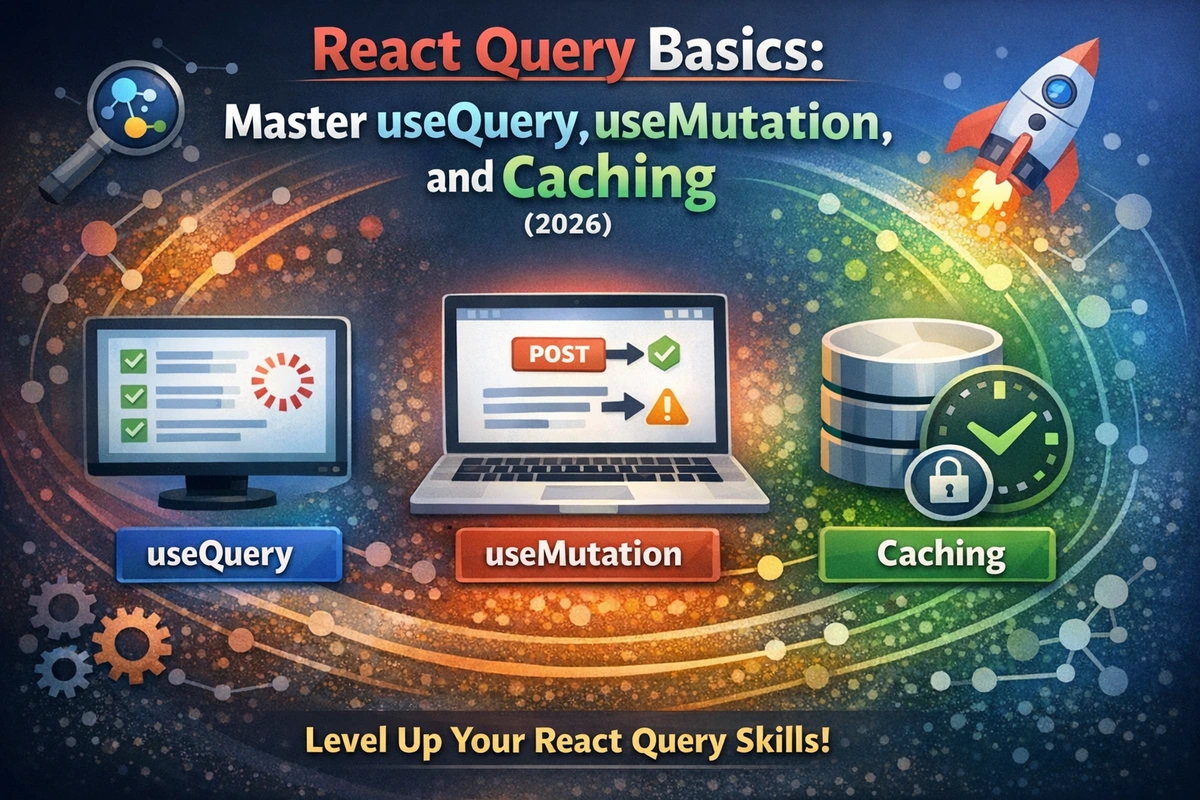
React Query Basics: Data Fetching & Caching Made Simple (2026)
React Query (now TanStack Query) solves one of the most painful problems in modern React applications: managing server state. If you've built React apps that fetch data from APIs, you've probably written the same pattern dozens of times: useEffect hook, loading states, error handling, caching. React Query removes all that boilerplate and gives you a declarative way to fetch, cache, and synchronize server data with your UI—automatically.
This guide walks you through the fundamentals with practical code you'll use every day.
Table of Contents
- What Problem Does React Query Solve?
- Installation & Setup
- useQuery: Fetching Data
- Understanding the Cache
- useMutation: Updating Data
- Synchronizing Cache After Mutations
- useQuery Advanced: Refetching & Manual Control
- Real-World: Building a User List with CRUD
- FAQ
What Problem Does React Query Solve?
Before React Query, fetching data in React looked like this:
function UserList() {
  const [users, setUsers] = useState<User[]>([]);
  const [loading, setLoading] = useState(true);
  const [error, setError] = useState<Error | null>(null);

  useEffect(() => {
    let cancelled = false;

    (async () => {
      try {
        const response = await fetch('/api/users');
        const data = await response.json();
        if (!cancelled) setUsers(data);
      } catch (err) {
        if (!cancelled) setError(err as Error);
      } finally {
        if (!cancelled) setLoading(false);
      }
    })();

    return () => {
      cancelled = true;
    };
  }, []);

  // Handle loading, error, data...
}
That's just one endpoint. Real applications have dozens, each with their own loading/error states. You also get no caching—refresh the browser and everything refetches from scratch. You're also not handling:
- Deduplication (multiple components requesting the same data simultaneously)
- Automatic refetching when data becomes stale
- Request cancellation when components unmount
- Optimistic updates
- Background refetching
React Query handles all of this automatically. Here's the same component:
function UserList() {
  const { data: users = [], isLoading, error } = useQuery({
    queryKey: ['users'],
    queryFn: () => fetch('/api/users').then(r => r.json()),
  });

  // That's it. Caching, deduplication, and refetching are automatic.
}
Three lines instead of thirty. And it's more powerful.
Installation & Setup
First, install the latest version:
npm install @tanstack/react-queryNext, wrap your app with QueryClientProvider at the root level (typically in main.tsx or App.tsx):
TypeScript Version
import { QueryClient, QueryClientProvider } from '@tanstack/react-query';
import { ReactNode } from 'react';

// Create a client instance (do this once, not in your component)
const queryClient = new QueryClient({
  defaultOptions: {
    queries: {
      staleTime: 1000 * 60 * 5, // 5 minutes - data is fresh for 5 min
      gcTime: 1000 * 60 * 10, // 10 minutes - keep unused data in cache for 10 min
      retry: 1, // Retry failed requests once
    },
  },
});

interface AppProviderProps {
  children: ReactNode;
}

export function AppProvider({ children }: AppProviderProps) {
  return (
    <QueryClientProvider client={queryClient}>
      {children}
    </QueryClientProvider>
  );
}JavaScript Version
import { QueryClient, QueryClientProvider } from '@tanstack/react-query';

const queryClient = new QueryClient({
  defaultOptions: {
    queries: {
      staleTime: 1000 * 60 * 5,
      gcTime: 1000 * 60 * 10,
      retry: 1,
    },
  },
});

export function AppProvider({ children }) {
  return (
    <QueryClientProvider client={queryClient}>
      {children}
    </QueryClientProvider>
  );
}
Use it in your main.tsx or index.tsx:
import { AppProvider } from './AppProvider';
import { App } from './App';

ReactDOM.createRoot(document.getElementById('root')!).render(
  <React.StrictMode>
    <AppProvider>
      <App />
    </AppProvider>
  </React.StrictMode>,
);useQuery: Fetching Data
useQuery is the hook for reading data from your server. It handles the request, caching, and synchronization automatically.
TypeScript Version
import { useQuery } from '@tanstack/react-query';

interface User {
  id: string;
  name: string;
  email: string;
}

// Simple example: Fetch all users
function UserList() {
  const { data: users = [], isLoading, error, isError } = useQuery({
    queryKey: ['users'], // Unique cache key
    queryFn: async () => {
      const response = await fetch('https://jsonplaceholder.typicode.com/users');
      if (!response.ok) throw new Error('Failed to fetch users');
      return response.json() as Promise<User[]>;
    },
  });

  if (isLoading) return <div>Loading users...</div>;
  if (isError) return <div>Error loading users: {error?.message}</div>;

  return (
    <ul>
      {users.map((user) => (
        <li key={user.id}>{user.name}</li>
      ))}
    </ul>
  );
}

// With parameters: Fetch a single user
interface UseUserProps {
  userId: string;
  enabled?: boolean; // Control whether query should run
}

function UserProfile({ userId, enabled = true }: UseUserProps) {
  const {
    data: user,
    isLoading,
    error,
  } = useQuery({
    queryKey: ['users', userId], // Keys can be arrays for filtering
    queryFn: async () => {
      const response = await fetch(
        `https://jsonplaceholder.typicode.com/users/${userId}`
      );
      if (!response.ok) throw new Error('User not found');
      return response.json() as Promise<User>;
    },
    enabled, // Conditionally run the query
  });

  if (isLoading) return <div>Loading user...</div>;
  if (!user) return null;

  return <div>{user.name} - {user.email}</div>;
}JavaScript Version
import { useQuery } from '@tanstack/react-query';

function UserList() {
  const { data: users = [], isLoading, error, isError } = useQuery({
    queryKey: ['users'],
    queryFn: async () => {
      const response = await fetch('https://jsonplaceholder.typicode.com/users');
      if (!response.ok) throw new Error('Failed to fetch users');
      return response.json();
    },
  });

  if (isLoading) return <div>Loading users...</div>;
  if (isError) return <div>Error loading users: {error?.message}</div>;

  return (
    <ul>
      {users.map((user) => (
        <li key={user.id}>{user.name}</li>
      ))}
    </ul>
  );
}

function UserProfile({ userId, enabled = true }) {
  const {
    data: user,
    isLoading,
    error,
  } = useQuery({
    queryKey: ['users', userId],
    queryFn: async () => {
      const response = await fetch(
        `https://jsonplaceholder.typicode.com/users/${userId}`
      );
      if (!response.ok) throw new Error('User not found');
      return response.json();
    },
    enabled,
  });

  if (isLoading) return <div>Loading user...</div>;
  if (!user) return null;

  return <div>{user.name} - {user.email}</div>;
}Key Concepts:
queryKey: A unique identifier for the data. Use arrays to include parameters—['users', userId] is different from ['users'], so they're cached separately.
queryFn: The async function that fetches the data. Throw errors for failed requests; React Query treats thrown errors as failures.
enabled: Conditionally run the query. Pass false to pause fetching (useful for waiting on user interaction or parent data).
Default state values: Note the data: users = [] destructuring. This provides a default empty array if data is undefined, avoiding null checks throughout your JSX.
Understanding the Cache
React Query's cache is powerful but can be confusing. Here's what's happening behind the scenes:
// These both use the cache differently:
const query1 = useQuery({
  queryKey: ['users'], // Cache key: "users"
  queryFn: fetchUsers,
});

const query2 = useQuery({
  queryKey: ['users', 123], // Cache key: "users-123" (different from above!)
  queryFn: () => fetchUser(123),
});

// Later, if you render multiple components fetching the same data:
const query3 = useQuery({
  queryKey: ['users'], // Same key as query1
  queryFn: fetchUsers,
});
// query3 reuses query1's cached data instantly. No new request!
Stale Time vs Garbage Collection Time:
- staleTime (default: 0): How long the data is considered "fresh." While fresh,
useQuerywon't refetch. After staleTime expires, data is marked stale. - gcTime (default: 5 minutes): How long unused data stays in the cache. After gcTime, the data is deleted.
// Data is fresh for 5 minutes. After that, it's stale but still cached.
// If no component uses it for 10 minutes, it's garbage collected.
const query = useQuery({
  queryKey: ['users'],
  queryFn: fetchUsers,
  staleTime: 1000 * 60 * 5, // 5 minutes
  gcTime: 1000 * 60 * 10,   // 10 minutes
});
Window Focus Refetching: By default, React Query refetches when your browser tab regains focus. This keeps your data in sync when users switch tabs. You can disable it:
const query = useQuery({
  queryKey: ['users'],
  queryFn: fetchUsers,
  refetchOnWindowFocus: false, // Don't refetch on focus
});useMutation: Updating Data
useQuery is for reading. useMutation is for writing—creating, updating, deleting.
TypeScript Version
import { useMutation, useQueryClient } from '@tanstack/react-query';

interface CreateUserInput {
  name: string;
  email: string;
}

function CreateUserForm() {
  const queryClient = useQueryClient();
  const [name, setName] = useState('');
  const [email, setEmail] = useState('');

  const createUserMutation = useMutation({
    mutationFn: async (newUser: CreateUserInput) => {
      const response = await fetch('https://jsonplaceholder.typicode.com/users', {
        method: 'POST',
        headers: { 'Content-Type': 'application/json' },
        body: JSON.stringify(newUser),
      });
      if (!response.ok) throw new Error('Failed to create user');
      return response.json();
    },
    onSuccess: (newUser) => {
      // Called when mutation succeeds
      console.log('User created:', newUser);
      // Reset form
      setName('');
      setEmail('');
    },
    onError: (error) => {
      // Called when mutation fails
      console.error('Failed to create user:', error);
    },
  });

  const handleSubmit = (e: React.FormEvent) => {
    e.preventDefault();
    createUserMutation.mutate({ name, email });
  };

  return (
    <form onSubmit={handleSubmit}>
      <input
        value={name}
        onChange={(e) => setName(e.target.value)}
        placeholder="Name"
      />
      <input
        value={email}
        onChange={(e) => setEmail(e.target.value)}
        placeholder="Email"
      />
      <button type="submit" disabled={createUserMutation.isPending}>
        {createUserMutation.isPending ? 'Creating...' : 'Create User'}
      </button>
      {createUserMutation.isError && (
        <div>Error: {createUserMutation.error?.message}</div>
      )}
    </form>
  );
}JavaScript Version
import { useMutation, useQueryClient } from '@tanstack/react-query';
import { useState } from 'react';

function CreateUserForm() {
  const queryClient = useQueryClient();
  const [name, setName] = useState('');
  const [email, setEmail] = useState('');

  const createUserMutation = useMutation({
    mutationFn: async (newUser) => {
      const response = await fetch('https://jsonplaceholder.typicode.com/users', {
        method: 'POST',
        headers: { 'Content-Type': 'application/json' },
        body: JSON.stringify(newUser),
      });
      if (!response.ok) throw new Error('Failed to create user');
      return response.json();
    },
    onSuccess: (newUser) => {
      console.log('User created:', newUser);
      setName('');
      setEmail('');
    },
    onError: (error) => {
      console.error('Failed to create user:', error);
    },
  });

  const handleSubmit = (e) => {
    e.preventDefault();
    createUserMutation.mutate({ name, email });
  };

  return (
    <form onSubmit={handleSubmit}>
      <input
        value={name}
        onChange={(e) => setName(e.target.value)}
        placeholder="Name"
      />
      <input
        value={email}
        onChange={(e) => setEmail(e.target.value)}
        placeholder="Email"
      />
      <button type="submit" disabled={createUserMutation.isPending}>
        {createUserMutation.isPending ? 'Creating...' : 'Create User'}
      </button>
      {createUserMutation.isError && (
        <div>Error: {createUserMutation.error?.message}</div>
      )}
    </form>
  );
}Key Concepts:
mutationFn: The async function that performs the mutation. Like queryFn, throw errors if the operation fails.
onSuccess: Called after the mutation succeeds. Use this to update the cache, show success messages, or reset forms.
onError: Called if the mutation fails.
isPending: true while the mutation is in flight. Use this to disable buttons and show loading states.
Synchronizing Cache After Mutations
The real power comes when you update the cache after a mutation. This keeps your UI in sync with the server:
TypeScript Version
interface User {
  id: string;
  name: string;
  email: string;
}

function UserList() {
  const queryClient = useQueryClient();
  const { data: users = [] } = useQuery({
    queryKey: ['users'],
    queryFn: async () => {
      const response = await fetch('https://jsonplaceholder.typicode.com/users');
      return response.json();
    },
  });

  // When creating a user, immediately update the cache
  const createUserMutation = useMutation({
    mutationFn: async (newUser: Omit<User, 'id'>) => {
      const response = await fetch('https://jsonplaceholder.typicode.com/users', {
        method: 'POST',
        headers: { 'Content-Type': 'application/json' },
        body: JSON.stringify(newUser),
      });
      return response.json();
    },
    onSuccess: (newUser: User) => {
      // Update the cache with the new user
      queryClient.setQueryData(
        ['users'],
        (oldUsers: User[] | undefined) => {
          return oldUsers ? [newUser, ...oldUsers] : [newUser];
        }
      );
      // Or, refetch from the server
      // queryClient.invalidateQueries({ queryKey: ['users'] });
    },
  });

  return (
    <div>
      <button onClick={() => createUserMutation.mutate({ name: 'John', email: 'john@example.com' })}>
        Add User
      </button>
      <ul>
        {users.map((user) => (
          <li key={user.id}>{user.name}</li>
        ))}
      </ul>
    </div>
  );
}JavaScript Version
function UserList() {
  const queryClient = useQueryClient();
  const { data: users = [] } = useQuery({
    queryKey: ['users'],
    queryFn: async () => {
      const response = await fetch('https://jsonplaceholder.typicode.com/users');
      return response.json();
    },
  });

  const createUserMutation = useMutation({
    mutationFn: async (newUser) => {
      const response = await fetch('https://jsonplaceholder.typicode.com/users', {
        method: 'POST',
        headers: { 'Content-Type': 'application/json' },
        body: JSON.stringify(newUser),
      });
      return response.json();
    },
    onSuccess: (newUser) => {
      queryClient.setQueryData(
        ['users'],
        (oldUsers) => {
          return oldUsers ? [newUser, ...oldUsers] : [newUser];
        }
      );
    },
  });

  return (
    <div>
      <button onClick={() => createUserMutation.mutate({ name: 'John', email: 'john@example.com' })}>
        Add User
      </button>
      <ul>
        {users.map((user) => (
          <li key={user.id}>{user.name}</li>
        ))}
      </ul>
    </div>
  );
}
Two approaches:
setQueryData: Manually update the cache (what you see in the example). Use this for optimistic updates where you predict the server's response.invalidateQueries: Mark queries as stale and refetch:
queryClient.invalidateQueries({ queryKey: ['users'] });Use setQueryData for instant UI updates (optimistic). Use invalidateQueries when you need the fresh server data.
useQuery Advanced: Refetching & Manual Control
Sometimes you need manual control over when queries run:
TypeScript Version
import { useQuery } from '@tanstack/react-query';

function AdvancedExample() {
  // Refetch manually
  const { refetch, isFetching } = useQuery({
    queryKey: ['data'],
    queryFn: fetchData,
  });

  // Wait for user action before fetching
  const lazyQuery = useQuery({
    queryKey: ['searchResults'],
    queryFn: fetchSearchResults,
    enabled: false, // Don't fetch on mount
  });

  return (
    <div>
      <button onClick={() => refetch()}>
        Refresh {isFetching ? '...' : ''}
      </button>
      <button onClick={() => lazyQuery.refetch()}>
        Search
      </button>
    </div>
  );
}JavaScript Version
function AdvancedExample() {
  const { refetch, isFetching } = useQuery({
    queryKey: ['data'],
    queryFn: fetchData,
  });

  const lazyQuery = useQuery({
    queryKey: ['searchResults'],
    queryFn: fetchSearchResults,
    enabled: false,
  });

  return (
    <div>
      <button onClick={() => refetch()}>
        Refresh {isFetching ? '...' : ''}
      </button>
      <button onClick={() => lazyQuery.refetch()}>
        Search
      </button>
    </div>
  );
}Real-World: Building a User List with CRUD
Let's build a practical example combining everything:
TypeScript Version
import {
  useQuery,
  useMutation,
  useQueryClient,
} from '@tanstack/react-query';
import { useState } from 'react';

interface User {
  id: string;
  name: string;
  email: string;
  createdAt: string;
}

interface CreateUserInput {
  name: string;
  email: string;
}

// API functions
async function fetchUsers(): Promise<User[]> {
  const response = await fetch('https://api.example.com/users');
  if (!response.ok) throw new Error('Failed to fetch users');
  return response.json();
}

async function createUser(user: CreateUserInput): Promise<User> {
  const response = await fetch('https://api.example.com/users', {
    method: 'POST',
    headers: { 'Content-Type': 'application/json' },
    body: JSON.stringify(user),
  });
  if (!response.ok) throw new Error('Failed to create user');
  return response.json();
}

async function deleteUser(userId: string): Promise<void> {
  const response = await fetch(`https://api.example.com/users/${userId}`, {
    method: 'DELETE',
  });
  if (!response.ok) throw new Error('Failed to delete user');
}

// Component
export function UserManagement() {
  const queryClient = useQueryClient();
  const [name, setName] = useState('');
  const [email, setEmail] = useState('');

  // Read: Fetch users
  const {
    data: users = [],
    isLoading,
    error,
  } = useQuery({
    queryKey: ['users'],
    queryFn: fetchUsers,
    staleTime: 1000 * 60 * 5, // Keep fresh for 5 minutes
  });

  // Create: Add user
  const createMutation = useMutation({
    mutationFn: createUser,
    onSuccess: (newUser) => {
      // Optimistic update: Add to cache immediately
      queryClient.setQueryData(
        ['users'],
        (oldUsers: User[] | undefined) => [
          ...(oldUsers || []),
          newUser,
        ]
      );
      setName('');
      setEmail('');
    },
  });

  // Delete: Remove user
  const deleteMutation = useMutation({
    mutationFn: deleteUser,
    onSuccess: (_, deletedUserId) => {
      // Remove from cache
      queryClient.setQueryData(
        ['users'],
        (oldUsers: User[] | undefined) =>
          oldUsers?.filter((u) => u.id !== deletedUserId) || []
      );
    },
  });

  const handleCreate = (e: React.FormEvent) => {
    e.preventDefault();
    if (!name || !email) return;
    createMutation.mutate({ name, email });
  };

  if (isLoading) return <div>Loading users...</div>;
  if (error) return <div>Error: {error.message}</div>;

  return (
    <div className="container">
      <h1>User Management</h1>

      {/* Create Form */}
      <form onSubmit={handleCreate}>
        <input
          type="text"
          value={name}
          onChange={(e) => setName(e.target.value)}
          placeholder="Name"
          disabled={createMutation.isPending}
        />
        <input
          type="email"
          value={email}
          onChange={(e) => setEmail(e.target.value)}
          placeholder="Email"
          disabled={createMutation.isPending}
        />
        <button type="submit" disabled={createMutation.isPending}>
          {createMutation.isPending ? 'Creating...' : 'Add User'}
        </button>
      </form>
      {createMutation.isError && (
        <div className="error">Error: {createMutation.error?.message}</div>
      )}

      {/* User List */}
      <ul>
        {users.map((user) => (
          <li key={user.id}>
            <span>{user.name} ({user.email})</span>
            <button
              onClick={() => deleteMutation.mutate(user.id)}
              disabled={deleteMutation.isPending}
            >
              {deleteMutation.isPending ? 'Deleting...' : 'Delete'}
            </button>
          </li>
        ))}
      </ul>
    </div>
  );
}JavaScript Version
import {
  useQuery,
  useMutation,
  useQueryClient,
} from '@tanstack/react-query';
import { useState } from 'react';

async function fetchUsers() {
  const response = await fetch('https://api.example.com/users');
  if (!response.ok) throw new Error('Failed to fetch users');
  return response.json();
}

async function createUser(user) {
  const response = await fetch('https://api.example.com/users', {
    method: 'POST',
    headers: { 'Content-Type': 'application/json' },
    body: JSON.stringify(user),
  });
  if (!response.ok) throw new Error('Failed to create user');
  return response.json();
}

async function deleteUser(userId) {
  const response = await fetch(`https://api.example.com/users/${userId}`, {
    method: 'DELETE',
  });
  if (!response.ok) throw new Error('Failed to delete user');
}

export function UserManagement() {
  const queryClient = useQueryClient();
  const [name, setName] = useState('');
  const [email, setEmail] = useState('');

  const {
    data: users = [],
    isLoading,
    error,
  } = useQuery({
    queryKey: ['users'],
    queryFn: fetchUsers,
    staleTime: 1000 * 60 * 5,
  });

  const createMutation = useMutation({
    mutationFn: createUser,
    onSuccess: (newUser) => {
      queryClient.setQueryData(
        ['users'],
        (oldUsers) => [...(oldUsers || []), newUser]
      );
      setName('');
      setEmail('');
    },
  });

  const deleteMutation = useMutation({
    mutationFn: deleteUser,
    onSuccess: (_, deletedUserId) => {
      queryClient.setQueryData(
        ['users'],
        (oldUsers) =>
          oldUsers?.filter((u) => u.id !== deletedUserId) || []
      );
    },
  });

  const handleCreate = (e) => {
    e.preventDefault();
    if (!name || !email) return;
    createMutation.mutate({ name, email });
  };

  if (isLoading) return <div>Loading users...</div>;
  if (error) return <div>Error: {error.message}</div>;

  return (
    <div className="container">
      <h1>User Management</h1>

      <form onSubmit={handleCreate}>
        <input
          type="text"
          value={name}
          onChange={(e) => setName(e.target.value)}
          placeholder="Name"
          disabled={createMutation.isPending}
        />
        <input
          type="email"
          value={email}
          onChange={(e) => setEmail(e.target.value)}
          placeholder="Email"
          disabled={createMutation.isPending}
        />
        <button type="submit" disabled={createMutation.isPending}>
          {createMutation.isPending ? 'Creating...' : 'Add User'}
        </button>
      </form>
      {createMutation.isError && (
        <div className="error">Error: {createMutation.error?.message}</div>
      )}

      <ul>
        {users.map((user) => (
          <li key={user.id}>
            <span>{user.name} ({user.email})</span>
            <button
              onClick={() => deleteMutation.mutate(user.id)}
              disabled={deleteMutation.isPending}
            >
              {deleteMutation.isPending ? 'Deleting...' : 'Delete'}
            </button>
          </li>
        ))}
      </ul>
    </div>
  );
}
This example demonstrates the full CRUD lifecycle: reading data with useQuery, creating with useMutation, and keeping the cache in sync with setQueryData.
FAQ
Q: Should I use React Query or Redux for data management?
A: They solve different problems. Redux manages client state (UI state like modal open/close, form values). React Query manages server state (data from your API). In modern apps, you use both: React Query for server data, a simpler tool (like Zustand or React Context) for client state. Redux is overkill for server state now that React Query exists.
Q: What's the difference between invalidateQueries and refetch?
A: refetch immediately triggers a new request for the current query. invalidateQueries marks queries as stale and refetches them the next time they're needed. Use refetch for immediate updates; use invalidateQueries for "refresh everything that depends on this data." For example, after creating a user, you might invalidate the ['users'] query, which causes all components using that query to refetch automatically.
Q: Can I use React Query without QueryClientProvider?
A: No. The Provider must be at the root level. If you forget it, you'll get an error: "No QueryClient set, use QueryClientProvider to set one." It's a common gotcha when setting up new projects.
Q: How do I handle pagination with React Query?
A: Use a different query key for each page:
const { data: users } = useQuery({
  queryKey: ['users', page], // Different key per page
  queryFn: () => fetchUsers(page),
});
Each page is cached separately, so switching back and forth between pages is instant.
Q: Does React Query work with TypeScript automatically?
A: Yes. React Query is fully typed. The data from useQuery<User> is automatically typed as User | undefined. The error is typed as Error | null. Full type safety with minimal effort.
Q: What happens if my query function throws an error?
A: React Query catches it and stores it in the error state. The query enters an error state and won't refetch automatically. You can retry manually with refetch() or configure automatic retries in the query options.
Questions? What's your biggest pain point with server state management in React? Share in the comments below—I'd love to hear about your use cases and challenges!