
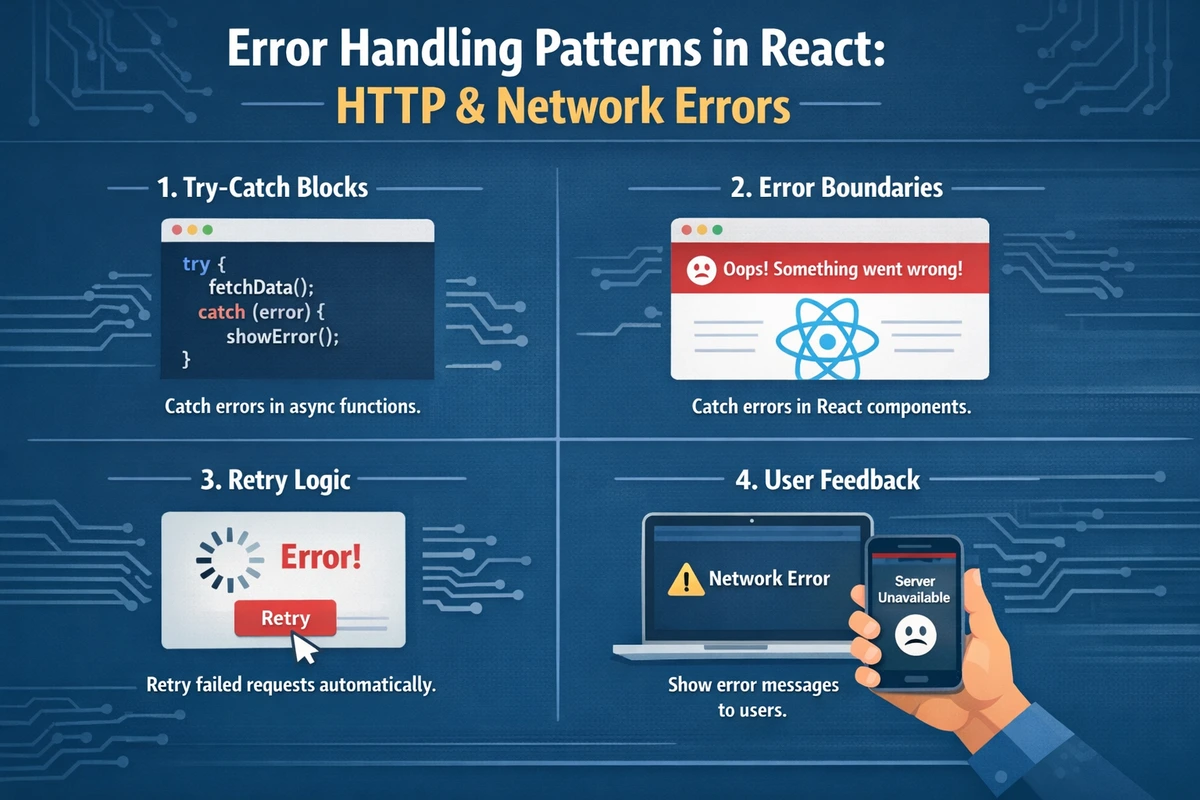
Error Handling Patterns in React: HTTP & Network Errors
Every production React application encounters errors—network timeouts, API failures, invalid responses, authentication issues. How you handle these errors determines whether users see a working application or a broken one. This comprehensive guide covers everything from basic HTTP error detection to production-ready recovery patterns used in applications handling millions of users.
Table of Contents
- Understanding HTTP vs Network Errors
- Basic HTTP Error Detection
- Network Error Handling
- Error Boundaries in React
- Custom Error Handling Hooks
- Retry Logic and Exponential Backoff
- Real-World Error Patterns
- Error Recovery Strategies
- FAQ
Understanding HTTP vs Network Errors
Most developers conflate "HTTP errors" and "network errors," but they're distinct problems requiring different solutions.
HTTP Errors (4xx, 5xx)
HTTP errors are valid responses from the server indicating something went wrong:
- 4xx: Client error (bad request, not found, unauthorized)
- 5xx: Server error (internal server error, service unavailable)
// HTTP response with error status
const response = await fetch('/api/users/invalid-id');
// Returns 404 (valid HTTP response, but indicates an error)
console.log(response.status); // 404
console.log(response.ok); // falseNetwork Errors
Network errors happen when the request never reaches the server:
- DNS resolution failures
- Network timeout
- Connection refused
- CORS blocked
- User went offline
// Network error (request never completes)
try {
  const response = await fetch('https://unreachable-server.invalid');
} catch (error) {
  // Error thrown because network request failed entirely
  console.log(error.message); // "Failed to fetch"
}Key Difference
| Type | What Happens | Response | Handling |
|---|---|---|---|
| HTTP Error | Server responds with error status | Valid response object | Check response.ok |
| Network Error | Request fails before response | Never completes | Thrown as exception |
Basic HTTP Error Detection
The fetch API doesn't throw errors for HTTP error status codes. You must check them manually.
The fetch Promise Gotcha
TypeScript Version
// ❌ WRONG: fetch doesn't throw on 404/500
async function getUser(id: string) {
  try {
    const response = await fetch(`/api/users/${id}`);
    const user = await response.json();
    return user;
  } catch (error) {
    // This only catches network errors, NOT HTTP 404/500!
    console.log('Error:', error);
  }
}

// ✅ CORRECT: Check response.ok
async function getUser(id: string) {
  try {
    const response = await fetch(`/api/users/${id}`);

    // Check status code before processing response
    if (!response.ok) {
      const errorData = await response.json();
      throw new Error(
        `API Error ${response.status}: ${errorData.message || response.statusText}`
      );
    }

    const user = await response.json();
    return user;
  } catch (error) {
    // Now this catches BOTH HTTP errors and network errors
    console.log('Error:', error instanceof Error ? error.message : String(error));
    throw error;
  }
}
JavaScript Version
// ❌ WRONG
async function getUser(id) {
  try {
    const response = await fetch(`/api/users/${id}`);
    const user = await response.json();
    return user;
  } catch (error) {
    console.log('Error:', error);
  }
}

// ✅ CORRECT
async function getUser(id) {
  try {
    const response = await fetch(`/api/users/${id}`);

    if (!response.ok) {
      const errorData = await response.json();
      throw new Error(
        `API Error ${response.status}: ${errorData.message || response.statusText}`
      );
    }

    const user = await response.json();
    return user;
  } catch (error) {
    console.log('Error:', error instanceof Error ? error.message : String(error));
    throw error;
  }
}Handling Different HTTP Status Codes
Not all HTTP errors should be handled the same way:
interface ErrorResponse {
  status: number;
  message: string;
  retryable: boolean;
}

async function handleHttpError(response: Response): Promise<ErrorResponse> {
  const body = await response.json().catch(() => ({}));

  // Client errors (4xx) - usually not retryable
  if (response.status >= 400 && response.status < 500) {
    return {
      status: response.status,
      message: body.message || response.statusText,
      retryable: false, // User should fix the request
    };
  }

  // Server errors (5xx) - usually retryable
  if (response.status >= 500) {
    return {
      status: response.status,
      message: body.message || 'Server error',
      retryable: true, // Retry after delay
    };
  }

  return {
    status: response.status,
    message: response.statusText,
    retryable: false,
  };
}

// Usage
async function fetchData(url: string) {
  const response = await fetch(url);

  if (!response.ok) {
    const error = await handleHttpError(response);

    if (error.retryable) {
      console.log('Server error, can retry later');
    } else {
      console.log('Client error, user must fix request');
    }

    throw new Error(error.message);
  }

  return response.json();
}Network Error Handling
Network errors are thrown as exceptions and require try-catch handling.
Common Network Errors
TypeScript Version
import { useEffect, useState } from 'react';

interface NetworkError {
  type: 'timeout' | 'offline' | 'network' | 'unknown';
  message: string;
  originalError: Error;
}

function classifyNetworkError(error: unknown): NetworkError {
  if (!(error instanceof Error)) {
    return {
      type: 'unknown',
      message: String(error),
      originalError: new Error(String(error)),
    };
  }

  const message = error.message.toLowerCase();

  // Timeout detection
  if (message.includes('timeout') || message.includes('abort')) {
    return {
      type: 'timeout',
      message: 'Request took too long. Please check your connection.',
      originalError: error,
    };
  }

  // Offline detection
  if (message.includes('failed to fetch') && !navigator.onLine) {
    return {
      type: 'offline',
      message: 'You appear to be offline. Check your internet connection.',
      originalError: error,
    };
  }

  // Generic network error
  if (message.includes('failed to fetch') || message.includes('network')) {
    return {
      type: 'network',
      message: 'Network error occurred. Please try again.',
      originalError: error,
    };
  }

  return {
    type: 'unknown',
    message: error.message,
    originalError: error,
  };
}

function useData(url: string) {
  const [data, setData] = useState(null);
  const [loading, setLoading] = useState(true);
  const [error, setError] = useState<NetworkError | null>(null);

  useEffect(() => {
    let isMounted = true;

    const fetchData = async () => {
      try {
        setLoading(true);
        setError(null);

        const response = await fetch(url, { signal: AbortSignal.timeout(5000) });

        if (!response.ok) {
          throw new Error(`HTTP ${response.status}: ${response.statusText}`);
        }

        const result = await response.json();

        if (isMounted) {
          setData(result);
        }
      } catch (err) {
        if (isMounted) {
          const networkError = classifyNetworkError(err);
          setError(networkError);
        }
      } finally {
        if (isMounted) {
          setLoading(false);
        }
      }
    };

    fetchData();

    return () => {
      isMounted = false;
    };
  }, [url]);

  return { data, loading, error };
}
JavaScript Version
function classifyNetworkError(error) {
  const message = error.message.toLowerCase();

  if (message.includes('timeout') || message.includes('abort')) {
    return {
      type: 'timeout',
      message: 'Request took too long. Please check your connection.',
      originalError: error,
    };
  }

  if (message.includes('failed to fetch') && !navigator.onLine) {
    return {
      type: 'offline',
      message: 'You appear to be offline. Check your internet connection.',
      originalError: error,
    };
  }

  if (message.includes('failed to fetch') || message.includes('network')) {
    return {
      type: 'network',
      message: 'Network error occurred. Please try again.',
      originalError: error,
    };
  }

  return {
    type: 'unknown',
    message: error.message,
    originalError: error,
  };
}

function useData(url) {
  const [data, setData] = useState(null);
  const [loading, setLoading] = useState(true);
  const [error, setError] = useState(null);

  useEffect(() => {
    let isMounted = true;

    const fetchData = async () => {
      try {
        setLoading(true);
        setError(null);

        const response = await fetch(url, { signal: AbortSignal.timeout(5000) });

        if (!response.ok) {
          throw new Error(`HTTP ${response.status}: ${response.statusText}`);
        }

        const result = await response.json();
        if (isMounted) setData(result);
      } catch (err) {
        if (isMounted) {
          const networkError = classifyNetworkError(err);
          setError(networkError);
        }
      } finally {
        if (isMounted) setLoading(false);
      }
    };

    fetchData();

    return () => {
      isMounted = false;
    };
  }, [url]);

  return { data, loading, error };
}Error Boundaries in React
Error Boundaries catch rendering errors in child components. They don't catch async errors from fetch.
Creating an Error Boundary
TypeScript Version
import { Component, ReactNode } from 'react';

interface ErrorBoundaryProps {
  children: ReactNode;
  fallback?: (error: Error) => ReactNode;
}

interface ErrorBoundaryState {
  error: Error | null;
  hasError: boolean;
}

class ErrorBoundary extends Component<ErrorBoundaryProps, ErrorBoundaryState> {
  constructor(props: ErrorBoundaryProps) {
    super(props);
    this.state = { error: null, hasError: false };
  }

  static getDerivedStateFromError(error: Error): ErrorBoundaryState {
    return { hasError: true, error };
  }

  componentDidCatch(error: Error, errorInfo: React.ErrorInfo) {
    // Log error to service (e.g., Sentry)
    console.error('Error caught by boundary:', error, errorInfo);
  }

  render() {
    if (this.state.hasError && this.state.error) {
      return (
        this.props.fallback?.(this.state.error) || (
          <div className="error-boundary">
            <h2>Something went wrong</h2>
            <p>{this.state.error.message}</p>
            <button onClick={() => this.setState({ hasError: false, error: null })}>
              Try again
            </button>
          </div>
        )
      );
    }

    return this.props.children;
  }
}

export default ErrorBoundary;

// Usage
function App() {
  return (
    <ErrorBoundary
      fallback={(error) => (
        <div className="error-page">
          <h1>Application Error</h1>
          <p>We encountered an unexpected error: {error.message}</p>
        </div>
      )}
    >
      <YourApp />
    </ErrorBoundary>
  );
}
JavaScript Version
import { Component } from 'react';

class ErrorBoundary extends Component {
  constructor(props) {
    super(props);
    this.state = { error: null, hasError: false };
  }

  static getDerivedStateFromError(error) {
    return { hasError: true, error };
  }

  componentDidCatch(error, errorInfo) {
    console.error('Error caught by boundary:', error, errorInfo);
  }

  render() {
    if (this.state.hasError && this.state.error) {
      return (
        this.props.fallback?.(this.state.error) || (
          <div className="error-boundary">
            <h2>Something went wrong</h2>
            <p>{this.state.error.message}</p>
            <button onClick={() => this.setState({ hasError: false, error: null })}>
              Try again
            </button>
          </div>
        )
      );
    }

    return this.props.children;
  }
}

export default ErrorBoundary;Custom Error Handling Hooks
Create reusable hooks that encapsulate error handling logic.
useAsync Hook with Error Handling
TypeScript Version
import { useEffect, useState, useCallback } from 'react';

interface UseAsyncState<T> {
  data: T | null;
  loading: boolean;
  error: Error | null;
}

interface UseAsyncOptions {
  onError?: (error: Error) => void;
  retryCount?: number;
  retryDelay?: number;
}

function useAsync<T>(
  asyncFunction: () => Promise<T>,
  dependencies: React.DependencyList = [],
  options: UseAsyncOptions = {}
): UseAsyncState<T> & { retry: () => void } {
  const { onError, retryCount = 0, retryDelay = 1000 } = options;

  const [state, setState] = useState<UseAsyncState<T>>({
    data: null,
    loading: true,
    error: null,
  });

  const [retries, setRetries] = useState(0);

  const execute = useCallback(async () => {
    try {
      setState({ data: null, loading: true, error: null });
      const result = await asyncFunction();
      setState({ data: result, loading: false, error: null });
      setRetries(0);
    } catch (error) {
      const err = error instanceof Error ? error : new Error(String(error));
      setState({ data: null, loading: false, error: err });

      if (onError) {
        onError(err);
      }

      // Auto-retry logic
      if (retries < retryCount) {
        setTimeout(() => {
          setRetries((prev) => prev + 1);
        }, retryDelay);
      }
    }
  }, [asyncFunction, onError, retryCount, retryDelay, retries]);

  const retry = useCallback(() => {
    setRetries(0);
    execute();
  }, [execute]);

  useEffect(() => {
    execute();
  }, [...dependencies, execute]);

  return { ...state, retry };
}

// Usage
function UserProfile({ userId }: { userId: string }) {
  const { data: user, loading, error, retry } = useAsync(
    () => fetch(`/api/users/${userId}`).then((res) => res.json()),
    [userId],
    {
      retryCount: 3,
      retryDelay: 2000,
      onError: (error) => {
        console.log('Failed to load user:', error.message);
      },
    }
  );

  if (loading) return <div>Loading...</div>;
  if (error) {
    return (
      <div>
        <p>Error: {error.message}</p>
        <button onClick={retry}>Retry</button>
      </div>
    );
  }

  return <div>{user?.name}</div>;
}
JavaScript Version
function useAsync(asyncFunction, dependencies = [], options = {}) {
  const { onError, retryCount = 0, retryDelay = 1000 } = options;

  const [state, setState] = useState({
    data: null,
    loading: true,
    error: null,
  });

  const [retries, setRetries] = useState(0);

  const execute = useCallback(async () => {
    try {
      setState({ data: null, loading: true, error: null });
      const result = await asyncFunction();
      setState({ data: result, loading: false, error: null });
      setRetries(0);
    } catch (error) {
      const err = error instanceof Error ? error : new Error(String(error));
      setState({ data: null, loading: false, error: err });

      if (onError) onError(err);

      if (retries < retryCount) {
        setTimeout(() => {
          setRetries((prev) => prev + 1);
        }, retryDelay);
      }
    }
  }, [asyncFunction, onError, retryCount, retryDelay, retries]);

  const retry = useCallback(() => {
    setRetries(0);
    execute();
  }, [execute]);

  useEffect(() => {
    execute();
  }, [...dependencies, execute]);

  return { ...state, retry };
}Retry Logic and Exponential Backoff
Automatic retries with exponential backoff dramatically improve reliability for transient failures.
TypeScript Version
interface RetryOptions {
  maxRetries: number;
  initialDelay: number;
  maxDelay: number;
  backoffMultiplier: number;
  isRetryable?: (error: Error, attempt: number) => boolean;
}

async function fetchWithRetry<T>(
  url: string,
  options: Partial<RetryOptions> = {}
): Promise<T> {
  const {
    maxRetries = 3,
    initialDelay = 1000,
    maxDelay = 10000,
    backoffMultiplier = 2,
    isRetryable = (error, attempt) => attempt < maxRetries,
  } = options;

  let lastError: Error | null = null;

  for (let attempt = 0; attempt <= maxRetries; attempt++) {
    try {
      const response = await fetch(url);

      if (!response.ok) {
        const error = new Error(
          `HTTP ${response.status}: ${response.statusText}`
        );
        throw error;
      }

      return await response.json();
    } catch (error) {
      lastError = error instanceof Error ? error : new Error(String(error));

      // Don't retry if error isn't retryable
      if (!isRetryable(lastError, attempt)) {
        throw lastError;
      }

      // Don't wait after last attempt
      if (attempt < maxRetries) {
        // Calculate exponential backoff delay
        const delay = Math.min(
          initialDelay * Math.pow(backoffMultiplier, attempt),
          maxDelay
        );

        // Add jitter to prevent thundering herd
        const jitter = Math.random() * delay * 0.1;
        const totalDelay = delay + jitter;

        console.log(
          `Attempt ${attempt + 1} failed, retrying in ${totalDelay.toFixed(0)}ms`
        );

        await new Promise((resolve) => setTimeout(resolve, totalDelay));
      }
    }
  }

  throw lastError || new Error('Failed after retries');
}

// Usage
async function loadData() {
  try {
    const data = await fetchWithRetry('/api/data', {
      maxRetries: 3,
      initialDelay: 1000,
      isRetryable: (error, attempt) => {
        // Don't retry 404s
        if (error.message.includes('404')) return false;
        return attempt < 3;
      },
    });

    console.log('Data loaded:', data);
  } catch (error) {
    console.error('Failed to load data:', error);
  }
}
JavaScript Version
async function fetchWithRetry(url, options = {}) {
  const {
    maxRetries = 3,
    initialDelay = 1000,
    maxDelay = 10000,
    backoffMultiplier = 2,
    isRetryable = (error, attempt) => attempt < maxRetries,
  } = options;

  let lastError = null;

  for (let attempt = 0; attempt <= maxRetries; attempt++) {
    try {
      const response = await fetch(url);

      if (!response.ok) {
        throw new Error(`HTTP ${response.status}: ${response.statusText}`);
      }

      return await response.json();
    } catch (error) {
      lastError = error;

      if (!isRetryable(error, attempt)) {
        throw error;
      }

      if (attempt < maxRetries) {
        const delay = Math.min(
          initialDelay * Math.pow(backoffMultiplier, attempt),
          maxDelay
        );
        const jitter = Math.random() * delay * 0.1;
        const totalDelay = delay + jitter;

        await new Promise((resolve) => setTimeout(resolve, totalDelay));
      }
    }
  }

  throw lastError;
}Real-World Error Patterns
Pattern 1: Form Submission with Error Handling
TypeScript Version
import { FormEvent, useState } from 'react';

interface SubmitError {
  field?: string;
  message: string;
  code?: string;
}

function LoginForm() {
  const [email, setEmail] = useState('');
  const [password, setPassword] = useState('');
  const [loading, setLoading] = useState(false);
  const [errors, setErrors] = useState<SubmitError[]>([]);

  const handleSubmit = async (e: FormEvent) => {
    e.preventDefault();
    setLoading(true);
    setErrors([]);

    try {
      const response = await fetch('/api/login', {
        method: 'POST',
        headers: { 'Content-Type': 'application/json' },
        body: JSON.stringify({ email, password }),
      });

      if (!response.ok) {
        const errorData = await response.json();

        // Handle field-specific errors
        if (response.status === 422) {
          setErrors(
            errorData.errors.map((err: any) => ({
              field: err.field,
              message: err.message,
            }))
          );
          return;
        }

        // Handle generic errors
        throw new Error(errorData.message || 'Login failed');
      }

      const data = await response.json();
      localStorage.setItem('token', data.token);
      window.location.href = '/dashboard';
    } catch (error) {
      const message =
        error instanceof Error ? error.message : 'An error occurred';
      setErrors([{ message }]);
    } finally {
      setLoading(false);
    }
  };

  return (
    <form onSubmit={handleSubmit}>
      {errors.length > 0 && (
        <div className="alert alert-error">
          {errors.map((err, i) => (
            <p key={i}>{err.message}</p>
          ))}
        </div>
      )}

      <input
        type="email"
        value={email}
        onChange={(e) => setEmail(e.target.value)}
        placeholder="Email"
      />

      <input
        type="password"
        value={password}
        onChange={(e) => setPassword(e.target.value)}
        placeholder="Password"
      />

      <button type="submit" disabled={loading}>
        {loading ? 'Logging in...' : 'Login'}
      </button>
    </form>
  );
}Pattern 2: Data Loading with Offline Support
TypeScript Version
import { useEffect, useState } from 'react';

interface CachedData<T> {
  data: T;
  timestamp: number;
}

function useDataWithCache<T>(
  url: string,
  cacheKey: string,
  cacheDuration: number = 5 * 60 * 1000 // 5 minutes
) {
  const [data, setData] = useState<T | null>(null);
  const [loading, setLoading] = useState(true);
  const [error, setError] = useState<Error | null>(null);
  const [isOffline, setIsOffline] = useState(!navigator.onLine);

  useEffect(() => {
    const handleOnline = () => setIsOffline(false);
    const handleOffline = () => setIsOffline(true);

    window.addEventListener('online', handleOnline);
    window.addEventListener('offline', handleOffline);

    return () => {
      window.removeEventListener('online', handleOnline);
      window.removeEventListener('offline', handleOffline);
    };
  }, []);

  useEffect(() => {
    let isMounted = true;

    const loadData = async () => {
      try {
        // Check cache first
        const cached = localStorage.getItem(cacheKey);
        if (cached) {
          const { data: cachedData, timestamp } = JSON.parse(
            cached
          ) as CachedData<T>;

          if (Date.now() - timestamp < cacheDuration) {
            if (isMounted) {
              setData(cachedData);
              setLoading(false);
            }
            return;
          }
        }

        // Skip network request if offline
        if (isOffline && cached) {
          if (isMounted) setLoading(false);
          return;
        }

        // Fetch fresh data
        setLoading(true);
        const response = await fetch(url);

        if (!response.ok) {
          throw new Error(`HTTP ${response.status}`);
        }

        const result = await response.json();

        if (isMounted) {
          setData(result);
          setError(null);

          // Cache the data
          localStorage.setItem(
            cacheKey,
            JSON.stringify({ data: result, timestamp: Date.now() })
          );
        }
      } catch (err) {
        if (isMounted) {
          const message =
            err instanceof Error ? err.message : 'Failed to load data';
          setError(new Error(message));

          // Try to use stale cache as fallback
          const cached = localStorage.getItem(cacheKey);
          if (cached) {
            const { data: cachedData } = JSON.parse(cached) as CachedData<T>;
            setData(cachedData);
          }
        }
      } finally {
        if (isMounted) setLoading(false);
      }
    };

    loadData();

    return () => {
      isMounted = false;
    };
  }, [url, cacheKey, cacheDuration, isOffline]);

  return { data, loading, error, isOffline };
}

// Usage
function DataDisplay() {
  const { data, loading, error, isOffline } = useDataWithCache(
    '/api/data',
    'data-cache',
    5 * 60 * 1000
  );

  if (isOffline) {
    return <p>You are offline. Showing cached data.</p>;
  }

  if (loading) return <div>Loading...</div>;
  if (error) return <div>Error: {error.message}</div>;

  return <div>{JSON.stringify(data)}</div>;
}Error Recovery Strategies
Graceful Degradation
Show what you can when parts of your application fail:
function Dashboard() {
  const { data: users } = useData('/api/users');
  const { data: analytics } = useData('/api/analytics');
  const { data: posts } = useData('/api/posts');

  return (
    <div>
      <h1>Dashboard</h1>

      {/* Show what loaded, hide what failed */}
      {users && (
        <section>
          <h2>Users</h2>
          <UserList users={users} />
        </section>
      )}

      {analytics && (
        <section>
          <h2>Analytics</h2>
          <AnalyticsChart data={analytics} />
        </section>
      )}

      {posts ? (
        <section>
          <h2>Posts</h2>
          <PostList posts={posts} />
        </section>
      ) : (
        <section className="disabled">
          <h2>Posts</h2>
          <p>Posts service temporarily unavailable</p>
        </section>
      )}
    </div>
  );
}Fallback UI
Provide safe defaults when data can't load:
interface User {
  id: string;
  name: string;
  avatar?: string;
}

function UserCard({ userId }: { userId: string }) {
  const { data: user, error } = useAsync(() =>
    fetch(`/api/users/${userId}`).then((r) => r.json())
  );

  // Fallback UI with skeleton data
  const displayUser: User = user || {
    id: userId,
    name: 'User',
    avatar: undefined,
  };

  return (
    <div className={error ? 'card error' : 'card'}>
      <img
        src={displayUser.avatar || '/default-avatar.png'}
        alt="User avatar"
      />
      <h3>{displayUser.name}</h3>
      {error && <p className="error-hint">Failed to load full details</p>}
    </div>
  );
}FAQ
Q: Why doesn't fetch throw on HTTP errors?
A: The fetch specification considers HTTP errors (4xx, 5xx) as valid responses—the network request succeeded. Only network-level failures throw exceptions. This design requires you to explicitly check response.ok for HTTP errors, which is actually safer than auto-throwing.
Q: Should I retry all failed requests?
A: No. Only retry transient errors (network timeouts, 5xx errors). Don't retry client errors (400, 401, 404) since retrying won't help. Check the error type before deciding to retry.
Q: How do I handle timeouts?
A: Use AbortSignal.timeout() (modern) or AbortController:
// Modern (Chrome 120+)
const response = await fetch(url, { signal: AbortSignal.timeout(5000) });

// Fallback
const controller = new AbortController();
const timeoutId = setTimeout(() => controller.abort(), 5000);
try {
  const response = await fetch(url, { signal: controller.signal });
} finally {
  clearTimeout(timeoutId);
}Q: When should I use Error Boundaries?
A: Error Boundaries catch rendering errors in components, not async fetch errors. Use them to prevent the entire app from crashing when a component breaks. Async errors from fetch need try-catch or promise .catch() handling.
Q: How do I prevent memory leaks when canceling requests?
A: Always use the cleanup function in useEffect to track whether the component is mounted:
useEffect(() => {
  let isMounted = true;

  fetch(url).then((data) => {
    if (isMounted) {
      setState(data);
    }
  });

  return () => {
    isMounted = false;
  };
}, [url]);Q: Should I show errors to users?
A: Yes, but tactfully. Don't show technical errors like "TypeError: Cannot read properties of undefined". Instead, show user-friendly messages and log technical details for debugging.
Questions? Share your error handling patterns and what production issues you've solved in the comments. How do you balance showing errors to users with maintaining a good user experience?